Best Wireless Mice in India (2026)
Best wireless mice under ₹1,000, ₹3,000, and ₹15,000 — ranked on tracking, ergonomics, battery, and build. 10 picks across budget, mid-range, and premium tiers.
Last updated: 8 May 2026
A good wireless mouse needs reliable tracking, comfortable ergonomics for all-day use, and a battery that lasts months (not days). Everything else — silent clicks, multi-device switching, customisable buttons — is a productivity bonus.
ProductHunter.in tested wireless mice across three tiers: budget under ₹1,000 for daily office and home use, mid-range under ₹3,000 for users who want comfort and smart features, and premium under ₹15,000 for professionals and power users. All 10 picks range from ₹449 to ₹11,995 with the best value concentrated in the budget tier at ₹599–₹699.
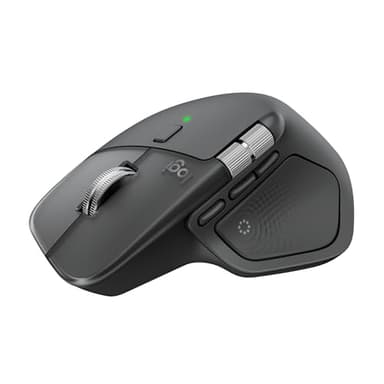
Logitech MX Master 4
The flagship wireless mouse — now with Haptic Sense Panel for customisable haptic feedback. 8K DPI Darkfield sensor tracks on any surface including glass, MagSpeed electromagnetic scroll wheel (fastest in any mouse), USB-C charging, connects to 3 devices with Easy-Switch, and Logi Options+ for deep customisation. The tool that professionals reach for daily.
Check Price on AmazonAt a Glance
This article contains affiliate links. We may earn a small commission at no cost to you. Learn more
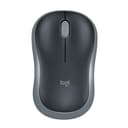
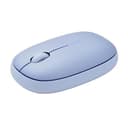
Rapoo M650 Silent
Best Multi-Device Value₹681
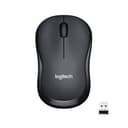
Logitech M221 Silent
Best Budget Silent (Dongle)₹699
Logitech Signature M650
Best Mid-Range₹2,495
Logitech Pebble 2 M350s
Best Ultra-Portable₹1,595
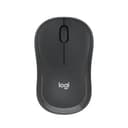
Logitech M240 Silent BT
Best Silent Mid-Range₹995
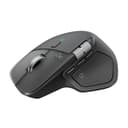
Logitech MX Master 4
Best Overall₹11,995
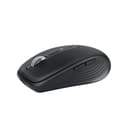
Logitech MX Anywhere 3S
Best Portable Premium₹6,995
Budget Picks (Under ₹1,000)
Budget wireless mice under ₹1,000 handle daily office, browsing, and productivity tasks reliably. You get 2.4GHz wireless or Bluetooth connectivity, silent click options, and batteries that last months to years. The main compromise: simpler sensors (fine for office work, not for precision design), basic ergonomics (comfortable but not sculpted), and fewer customisation options.
Logitech M186 Wireless Mouse
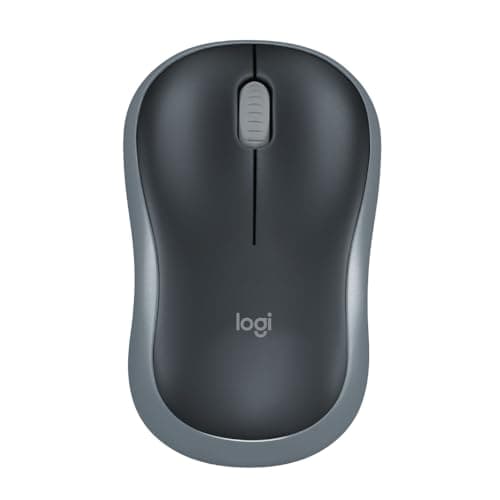
The Logitech M186 has the longest battery life in this entire roundup — 3 years on a single AA battery. That means you'll replace the battery once or twice across the mouse's entire useful life. 1000 DPI optical tracking handles all office tasks. Ambidextrous design works for left and right-handed users. At ₹499 (down from ₹635), it matches the Rapoo M650 on price while offering Logitech's proven reliability backed by 3,825 reviews. The 'set and forget' mouse — buy it, use it daily, and forget about batteries for years.
Pros
- +3-year battery life — longest in this roundup by far
- +Logitech reliability — 4.1/5 with 3,825 reviews
- +Ambidextrous — works for left and right-handed users
- +₹599 — excellent Logitech value
- +Plug and play with nano receiver
- +Compact and lightweight
Cons
- -1000 DPI — basic tracking
- -No silent clicks
- -No Bluetooth — 2.4GHz dongle only
- -Basic design — no ergonomic shaping
Score Breakdown
The 'set and forget' wireless mouse. 3-year battery life at ₹499 means you buy it, use it daily, and forget about batteries for years.
Rapoo M650 Silent Multi-Device Mouse
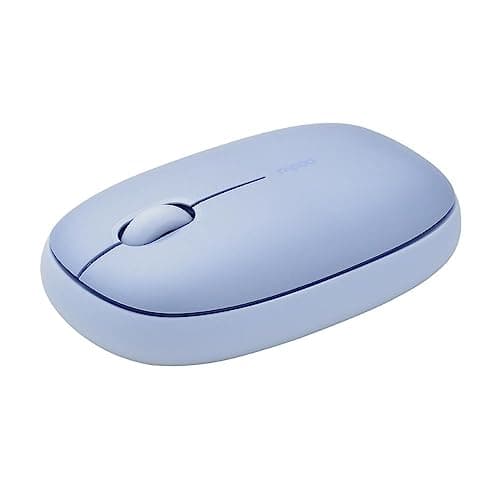
The Rapoo M650 dropped 40% from ₹999 to ₹599 — making it the cheapest multi-device silent mouse you can buy. Connect to 3 devices via Bluetooth 5.0 and switch between them instantly. Silent clicks keep shared office environments peaceful. At ₹681, it's now ₹996 cheaper than the Logitech Pebble 2 while offering the same 3-device switching. 3-year warranty adds confidence. The main concern: only 99 reviews on Amazon, so long-term reliability data is limited. But the 40% price drop transforms this from a 'decent option' to an exceptional value pick.
Pros
- +₹599 — cheapest 3-device mouse (40% price drop from ₹999)
- +Silent click technology
- +Bluetooth 5.0 + 2.4GHz dongle — dual connectivity
- +3-year warranty
- +Rubber sides for grip
- +Compact and portable
Cons
- -Only 99 reviews — limited long-term reliability data
- -No Logi Options+ equivalent software
- -1300 DPI — less precise than Pebble's 4000 DPI
- -Smaller Indian support network than Logitech
Score Breakdown
The cheapest way to get multi-device switching with silent clicks. At ₹681 after a 40% price drop, it's an exceptional value — ₹996 less than the Logitech Pebble 2 with the same core feature.
Logitech M221 Silent Wireless Mouse
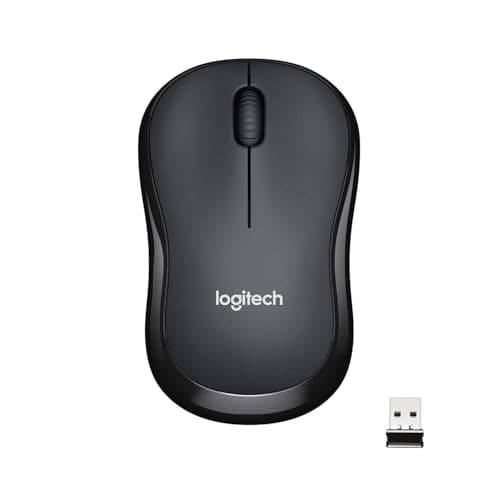
The Logitech M221 is the most-reviewed wireless mouse on Amazon India — 43,225 reviews with a 4.2/5 rating. That's not a typo. Over forty-three thousand buyers have validated this mouse. 90% reduced click noise makes it genuinely silent. The 3-year warranty is the longest in the budget tier. At 77g, it's one of the lightest mice in this roundup. At ₹699, it fills the 'budget silent with dongle' niche — for users who want silent clicks but prefer a USB dongle over Bluetooth. The main concern from recent reviews: scroll wheel durability after about a year of heavy use. But the 3-year warranty covers that.
Pros
- +90% reduced click noise — truly silent
- +43,225 reviews — most-validated mouse on Amazon India
- +3-year warranty — longest in budget tier
- +77g lightweight — barely noticeable
- +Logitech brand reliability
- +18-month battery life
Cons
- -Scroll wheel durability concerns after 1 year
- -2.4GHz dongle only — no Bluetooth
- -1000 DPI — basic tracking
- -Only 3 buttons — no side buttons
Score Breakdown
The most-proven budget silent mouse. 43,225 reviews and a 3-year warranty — if you want silent clicks with a USB dongle, this is the safest pick.
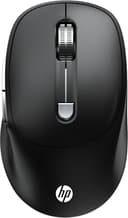
HP M290 Wireless Silent Mouse
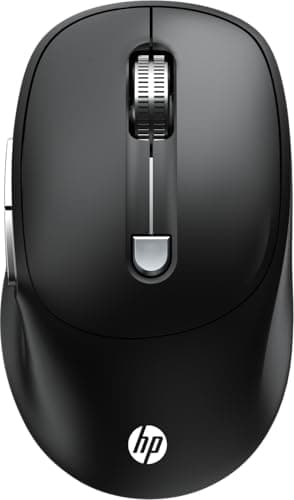
The HP M290 delivers silent clicks and 3200 DPI at ₹449 — the cheapest silent mouse in this roundup. The 3200 DPI sensor is the highest resolution in the budget tier, useful for large monitors. 6 buttons with a DPI switch add productivity shortcuts. However, recent reviews are concerning: multiple reports of sensor failure, dead-on-arrival units, and sluggish tracking. The 3.7/5 rating is the lowest alongside the HP M190. We're keeping it for now because no other mouse offers silent clicks at ₹449, but it's flagged for removal if quality continues declining.
Pros
- +₹499 — cheapest silent mouse in this roundup
- +3200 DPI — highest sensor in budget tier
- +90% noise reduction
- +6 buttons + DPI switch
- +HP brand availability
- +Ambidextrous design
Cons
- -3.7/5 rating — declining recent reviews
- -Reports of sensor failure and dead units
- -No Bluetooth — dongle only
- -HP after-sales support is poor
Score Breakdown
The cheapest silent mouse — but buy with caution. 3200 DPI and silent clicks at ₹449 is unmatched, but recent quality complaints are concerning. The Logitech M221 at ₹699 is ₹300 more and far more reliable.
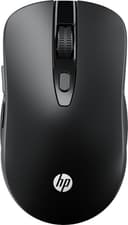
HP M190 Wireless Mouse
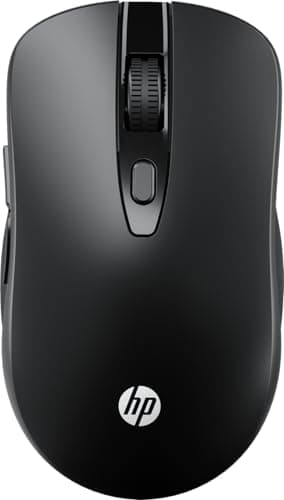
The HP M190 is the absolute cheapest wireless mouse in this roundup at ₹449. 6 buttons (including back/forward) add genuine productivity — navigate browser pages and documents without keyboard shortcuts. The 1600 DPI multi-surface sensor works on wood, fabric, and most desk materials without a mousepad. 4,172 reviews provide decent validation. The trade-offs: not silent (normal click volume), basic build quality (3.7/5 rating), and the sensor is adequate but not precise. If you just need a wireless mouse that works, this is the minimum spend.
Pros
- +₹485 — cheapest wireless mouse in this roundup
- +6 buttons — back/forward for productivity
- +1600 DPI multi-surface sensor
- +4,172 reviews — decent validation
- +Plug and play — zero setup
- +Ambidextrous
Cons
- -Not silent — normal click volume
- -3.7/5 rating — basic build quality
- -No Bluetooth — dongle only
- -Basic sensor — office use only
Score Breakdown
The cheapest functional wireless mouse. 6 buttons at ₹449 — if you just need a wireless mouse that works, this is the minimum spend.
Mid-Range Picks (Under ₹3,000)
Mid-range wireless mice between ₹1,000 and ₹3,000 bridge the gap between basic budget mice and premium productivity tools. You get noticeably better ergonomics, smart scroll wheels, silent clicks, multi-device switching, and higher DPI sensors. These are the sweet spot for users who spend 4+ hours daily on a mouse and want comfort without paying premium prices.
Logitech Signature M650
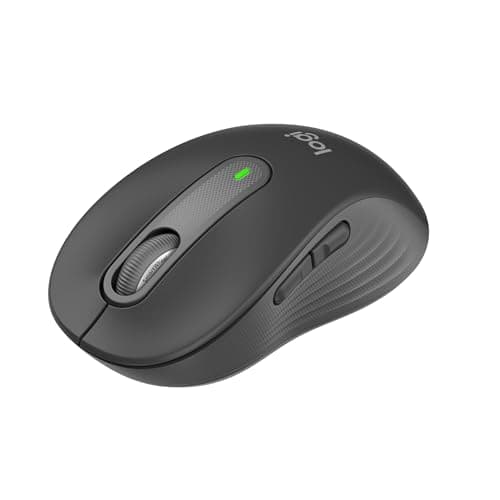
The Logitech Signature M650 bridges the gap between budget mice and the MX series. SmartWheel scrolling automatically switches between line-by-line and free-spin modes — a feature usually reserved for ₹5,000+ mice. SilentTouch clicks are nearly inaudible. The ergonomic contoured shape with soft thumb area and rubber side grips is noticeably more comfortable than flat budget mice for extended use. Dual connectivity (Bluetooth + Logi Bolt dongle) covers all devices. 24-month battery on a single AA. At ₹2,495 (up 10% from ₹2,349), it remains the best mouse under ₹3,000. Strong 4.4/5 rating across 2,401 reviews.
Pros
- +SmartWheel — auto-switching scroll modes, usually ₹5K+ feature
- +SilentTouch — near-silent clicks
- +Ergonomic contoured shape with rubber grips
- +Bluetooth + Logi Bolt dual connectivity
- +24-month battery life
- +Logi Options+ per-app customisation
Cons
- -No Darkfield sensor — won't track on glass
- -Right-handed design only (M650 L for left-hand available)
- -2000 DPI — not for design work
- -No USB-C charging — AA battery
Score Breakdown
The best mouse under ₹3,000. SmartWheel scrolling and SilentTouch at ₹2,495 deliver premium features without premium pricing.
Logitech Pebble Mouse 2 M350s
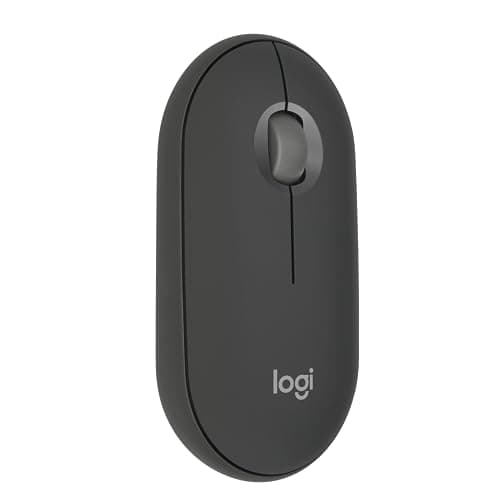
The Logitech Pebble 2 M350s is the best mouse for users who work across multiple devices. Easy-Switch lets you connect to 3 devices (laptop, tablet, desktop) and switch between them with a button press — no re-pairing needed. The 4000 DPI sensor is the most precise in the mid-range tier, making it usable for basic design work alongside office tasks. Whisper-quiet clicks make it office-friendly. The slim, pebble-shaped design slips into any laptop bag. Customisable middle button through Logi Options+ adds workflow shortcuts. At ₹1,595, it's the most feature-packed mouse under ₹2,000.
Pros
- +3-device Easy-Switch — seamless multi-device workflow
- +4000 DPI — most precise mid-range sensor
- +Whisper-quiet clicks for shared offices
- +Customisable middle button via Logi Options+
- +Bluetooth + USB receiver — dual connectivity
- +2-year battery life
Cons
- -Flat design — not ergonomic for large hands
- -Small for users with bigger hands
- -No side buttons
- -No SmartWheel — basic scroll
Score Breakdown
The best multi-device mouse under ₹2,000. Easy-Switch across 3 devices at ₹1,595 eliminates the need for multiple mice on different desks.
Logitech M240 Silent Bluetooth Mouse
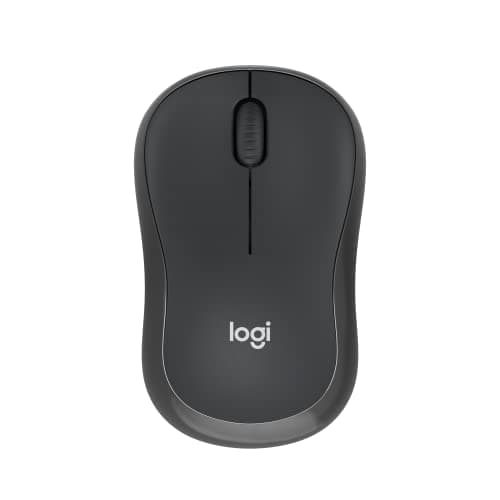
The Logitech M240 is the best silent Bluetooth mouse under ₹1,500. Bluetooth-only means no dongle to lose or occupy a USB port — particularly useful for laptops with limited ports. 90% noise reduction makes clicks nearly inaudible — essential for shared offices, libraries, and late-night work. Price dropped 6% from ₹1,214 to ₹995, making it even better value. Strong 4.4/5 rating across nearly 2,000 reviews confirms consistent quality. 18-month battery life on a single AA battery. The compromise: Bluetooth-only means no dongle fallback (some older desktops lack Bluetooth), and 1000 DPI is basic but adequate for office work.
Pros
- +Bluetooth only — no dongle needed, frees USB port
- +90% noise reduction — near-silent clicks
- +18-month battery life
- +4.4/5 rating with 1,947 reviews — proven quality
- +Compact, ambidextrous design
- +Price dropped to ₹995
Cons
- -No dongle fallback — requires Bluetooth on your device
- -1000 DPI — basic for anything beyond office work
- -No multi-device switching
- -Small for large hands
Score Breakdown
The best silent Bluetooth mouse under ₹1,500. No dongle, near-silent clicks, and 18-month battery — perfect for laptop users in quiet environments.
Premium Picks (Under ₹15,000)
Premium wireless mice transform how you work. Precision sensors that track on glass, ergonomic shapes designed from hand-fatigue research, electromagnetic scroll wheels, multi-device switching, and deep software customisation. If you use a mouse 8+ hours daily, a premium mouse is one of the highest-impact productivity investments you can make — more impactful than a faster laptop for most office workers.
Logitech MX Master 4
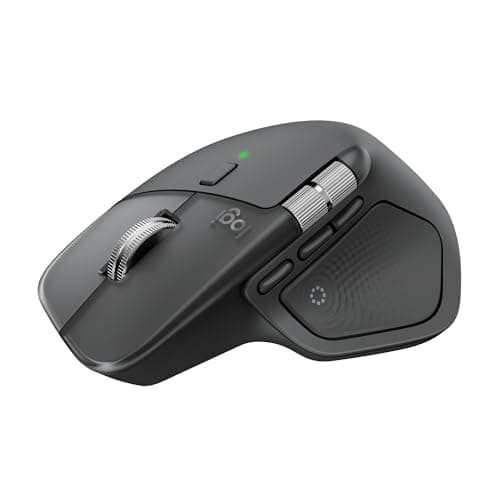
The Logitech MX Master 4 is the best wireless mouse you can buy — now upgraded with the Haptic Sense Panel for customisable haptic feedback on actions, shortcuts, and notifications. The 8K DPI Darkfield sensor tracks on any surface — glass, marble, lacquered wood — where every other mouse fails. The MagSpeed electromagnetic scroll wheel scrolls 1,000 lines per second and switches between ratchet and free-spin modes automatically. The new Actions Ring is a dynamic, customisable overlay that adapts to each app, placing your most-used filters and shortcuts at your cursor. USB-C fast charging gives 3 hours from 1 minute. At ₹11,995 (up 8% from ₹11,995), it's expensive — but the haptic feedback and improved materials over the MX Master 3S justify the price for daily professionals.
Pros
- +8K DPI Darkfield — tracks on glass, marble, any surface
- +MagSpeed scroll — fastest, most satisfying scroll wheel
- +Haptic Sense Panel — customisable haptic feedback (new in v4)
- +USB-C fast charge — 1 min = 3 hours, 70-day battery
- +3-device Easy-Switch
- +Logi Options+ per-app customisation with Actions Ring
- +Thumb wheel for horizontal scrolling
Cons
- -₹11,995 — most expensive mouse in this roundup
- -Large — not travel-friendly
- -Right-handed only — no left-hand option
- -1-year warranty (short for the price)
Score Breakdown
The best wireless mouse. Period. The Haptic Sense Panel, MagSpeed wheel, Darkfield sensor, and per-app customisation make it indispensable for professionals who use a mouse 8+ hours daily.
Logitech MX Anywhere 3S
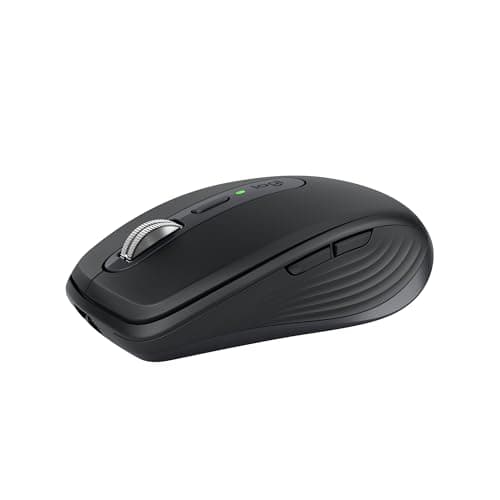
The Logitech MX Anywhere 3S is the MX Master 4 in a travel-friendly size. Same 8K DPI Darkfield sensor (tracks on glass), same MagSpeed electromagnetic scroll wheel, same 3-device Easy-Switch — but in a compact 99g body. Silent clicks make it usable in cafés, flights, and shared workspaces. The price has jumped 32% from ₹5,299 to ₹6,995, which is a significant hike. Despite this, no competitor matches its sensor-plus-portability combination. 1,069 reviews at 4.5/5 confirm consistent quality. The compromise: no thumb wheel (horizontal scrolling), smaller body (less ergonomic for large hands), and fewer customisable buttons.
Pros
- +8K DPI Darkfield — tracks on glass, same as MX Master
- +MagSpeed scroll wheel in compact body
- +Silent clicks — café and library friendly
- +3-device Easy-Switch
- +Compact 99g travel-friendly design
- +Ambidextrous
Cons
- -₹6,995 — 32% price increase from ₹5,299
- -No thumb wheel for horizontal scrolling
- -Smaller — less ergonomic for large hands
- -1-year warranty
Score Breakdown
The best premium mouse for mobile professionals. MX Master-grade sensor and scroll in a 99g travel size. Choose this over MX Master if you work from multiple locations — but note the 32% price hike.
Logitech Signature M650
The Logitech Signature M650 bridges the gap between budget mice and the MX series. SmartWheel scrolling automatically switches between line-by-line and free-spin modes — a feature usually reserved for ₹5,000+ mice. SilentTouch clicks are nearly inaudible. The ergonomic contoured shape with soft thumb area and rubber side grips is noticeably more comfortable than flat budget mice for extended use. Dual connectivity (Bluetooth + Logi Bolt dongle) covers all devices. 24-month battery on a single AA. At ₹2,495 (up 10% from ₹2,349), it remains the best mouse between ₹1,500 and ₹5,000. Strong 4.4/5 rating across 2,401 reviews.
Pros
- +SmartWheel — auto-switching scroll modes, usually ₹5K+ feature
- +SilentTouch — near-silent clicks
- +Ergonomic contoured shape with rubber grips
- +Bluetooth + Logi Bolt dual connectivity
- +24-month battery life
- +Logi Options+ per-app customisation
Cons
- -No Darkfield sensor — won't track on glass
- -Right-handed design only (M650 L for left-hand available)
- -2000 DPI — not for design work
- -No USB-C charging — AA battery
Score Breakdown
The best mouse between ₹1,500 and ₹5,000. SmartWheel scrolling and SilentTouch at ₹2,495 deliver premium features without premium pricing.
Comparison Table
| Spec | MX Master 4 | MX Anywhere 3S | Signature M650 | Pebble 2 M350s | M240 Silent | M221 Silent | Rapoo M650 | Logitech M186 | HP M290 | HP M190 |
|---|---|---|---|---|---|---|---|---|---|---|
| Price | ₹11,995 | ₹6,995 | ₹2,590 | ₹1,595 | ₹995 | ₹699 | ₹599 | ₹599 | ₹499 | ₹485 |
| Tier | Premium | Premium | Mid-Range | Mid-Range | Mid-Range | Budget | Budget | Budget | Budget | Budget |
| DPI | 8000 | 8000 | 2000 | 4000 | 1000 | 1000 | 1300 | 1000 | 3200 | 1600 |
| Multi-Device | 3 | 3 | No | 3 | No | No | 3 | No | No | No |
| Silent | Yes | Yes | Yes | Yes | Yes | Yes | Yes | No | Yes | No |
| Bluetooth | Yes | Yes | Yes | Yes | Yes | No | Yes | No | No | No |
| Battery | USB-C, 70d | USB-C, 70d | 24mo AA | 24mo AA | 18mo AA | 18mo AA | 9mo AA | 3yr AA | ~12mo | ~12mo |
| Weight | 141g | 99g | ~100g | ~76g | ~76g | 77g | ~75g | ~75g | ~90g | ~90g |
| Rating | 4.5/5 | 4.5/5 | 4.4/5 | 4.3/5 | 4.4/5 | 4.2/5 | 4.0/5 | 4.1/5 | 3.7/5 | 3.7/5 |
| Reviews | 265 | 1,069 | 2,401 | 1,662 | 1,947 | 43,225 | 99 | 3,825 | 698 | 4,172 |
| Score | 9.2 | 8.5 | 8.4 | 8.1 | 8.0 | 7.8 | 7.9 | 8.0 | 7.4 | 7.4 |
How We Score
| Criterion | Weight | Based On |
|---|---|---|
| Tracking | 25% | DPI range, sensor quality, surface compatibility (glass, wood, fabric), and precision for daily and design tasks |
| Ergonomics | 25% | Shape comfort for extended use, hand size compatibility, button placement, scroll wheel quality, and fatigue reduction |
| Battery | 20% | Battery life, charging speed (for rechargeable), battery type, and real-world endurance |
| Build | 20% | Construction materials, click mechanism quality, scroll wheel durability, connectivity reliability, brand warranty, and long-term track record |
| Value | 10% | Price relative to features, sensor quality vs competitors, software ecosystem, and long-term reliability |
Scores are on a 0-10 scale. Build quality weight increased from 15% to 20% (from previous version) because scroll wheel and click durability are the most common failure modes in wireless mice — this better penalises products with known durability issues.
Complete your desk setup
A quality mouse pairs well with a gaming keyboard. Check our tested picks.
Best Gaming Keyboards →→Frequently Asked Questions
2.4GHz dongle has lower latency (more responsive) and no pairing hassle — plug in and go. Bluetooth saves a USB port and works with devices that lack USB-A. Best option: a mouse with both (like the Pebble 2, Signature M650, or MX series) so you can use either depending on the device.
If you work in a shared office, library, or make late-night calls — yes. Silent mice (90% noise reduction) make clicks barely audible. If you work alone or don't mind click sounds, save money with a non-silent mouse like the Logitech M186 (₹599). Silent mechanisms don't affect click feel significantly in modern mice.
If you use a mouse 6+ hours daily for professional work — yes. The Darkfield sensor (tracks on glass), MagSpeed wheel (fastest scrolling), Haptic Sense Panel, and per-app customisation genuinely save time daily. If you use a mouse casually for 1-2 hours, the Signature M650 at ₹2,495 delivers 80% of the experience at 20% of the price.
The Logitech M186 at ₹599 if you want the longest battery life (3 years). The Rapoo M650 at ₹599 if you need multi-device switching and silent clicks. The Logitech M221 at ₹699 if you want silent clicks with the most-proven track record (43,225 reviews, 3-year warranty). All three are under ₹1,000 and offer excellent value.
Budget mice with AA batteries: 9 months to 3 years depending on the model (Logitech M186 leads with 3 years). Premium rechargeable mice (MX Master 4, MX Anywhere 3S): about 70 days on a full charge, and 1 minute of USB-C charging gives 3 hours of use — so you never need to stop working.