Best Webcams in India (2026)
Best webcams from ₹1,999 to ₹18,995 — ranked on video quality, low-light performance, microphone, and build. 9 picks across budget, mid-range, and premium tiers.
Last updated: 8 May 2026
A good webcam needs sharp video, decent low-light handling, and a microphone that doesn't make you sound like you're calling from a tunnel. Most laptop webcams are terrible at all three — even on ₹1 lakh+ laptops. A ₹2,000 external webcam is a bigger upgrade to your video call quality than any lighting setup. If audio is your weak link rather than video, a lavalier microphone will transform your sound quality. Shopping within a specific budget? We have focused guides for webcams between 3000-6000 and webcams between 5000-10000.
ProductHunter.in tested webcams across three price tiers: budget (under ₹3,000), mid-range (₹3,000–₹8,000), and premium (₹8,000+). Prices range from ₹1,999 to ₹19,995. The jump from budget to mid-range gets you better low-light performance and dual microphones. The jump to premium adds 4K resolution, AI features (auto-framing, enhanced low-light), and professional-grade Sony sensors.
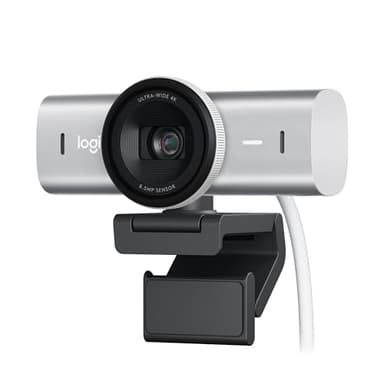
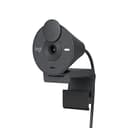
Logitech MX Brio 4K
4K/30fps with a large Sony sensor (70% bigger pixels for better low-light), AI-enhanced image processing, dual noise-reducing mics, and USB-C. Show Mode lets you share your desk during presentations. Overkill for casual calls, essential for professionals and streamers.
Check Price on AmazonAt a Glance
This article contains affiliate links. We may earn a small commission at no cost to you. Learn more
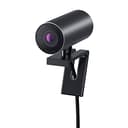
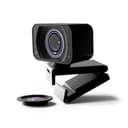
Dell UltraSharp WB7022 4K
Best Professional₹16,219
Budget Picks (Under ₹3,000)
Under ₹3,000, you get a massive upgrade over any laptop webcam. 1080p resolution, autofocus (on some models), privacy shutters, and built-in microphones. The main limitations: low-light performance is average (you'll need decent room lighting), and microphone quality is usable but not great for professional calls. For daily video calls, online classes, and casual streaming, these work well.
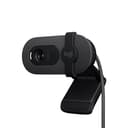
Logitech Brio 100 Full HD Webcam
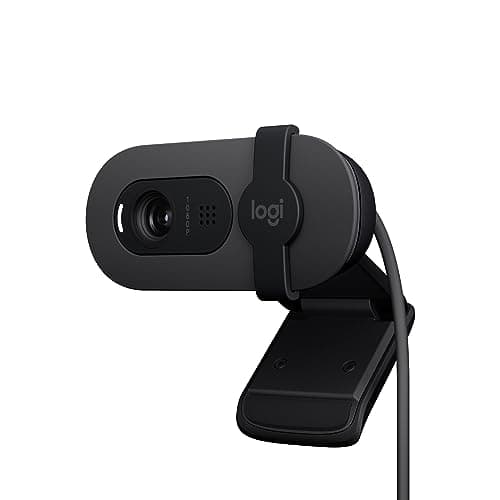
The Logitech Brio 100 is the safest budget webcam pick. RightLight technology automatically adjusts brightness and contrast to compensate for uneven or dim lighting — Logitech claims 50% better brightness than competitors, and it's noticeable in rooms with a single overhead light. The 2024 model design is clean and compact. The privacy shutter is a physical slider, not a cap you'll lose. Logitech's software ecosystem (Logi Tune) lets you adjust settings. At ₹2,995, you're paying a premium over Zebronics and Kreo for the Logitech name, but you also get proven reliability and better after-sales. The trade-off: fixed focus (no autofocus), and only a single microphone.
Pros
- +RightLight auto-light balance — best low-light in budget tier
- +Physical privacy shutter — slide to cover, no caps to lose
- +Logitech brand reliability and software support
- +Clean 2024 design — compact and professional
- +USB-A plug and play — works instantly
- +1080p/30fps — sharp enough for video calls
Cons
- -Fixed focus — no autofocus capability
- -Single microphone — not dual mics
- -Most expensive in budget tier at ₹2,995
- -USB-A only — no USB-C option
Score Breakdown
The safe budget pick. Logitech's RightLight and build quality justify the price premium over lesser-known brands. Best for buyers who want proven reliability.
Zebronics Pure Plus 4K Webcam
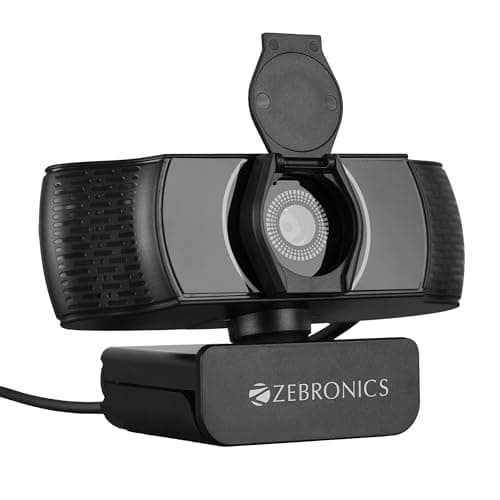
The Zebronics Pure Plus is the only 4K webcam under ₹3,000 in this roundup — and the spec sheet is genuinely impressive at this price. 3840x2160 resolution with autofocus means sharp video with automatic focus adjustment as you move. Auto white balance and brightness handle changing lighting conditions. The privacy shutter is included. The reality check: 4K resolution is largely wasted on video calls (Zoom, Teams, and Meet cap at 1080p or lower), so the 4K advantage only matters for local recording and content creation. The sensor quality isn't comparable to premium 4K webcams like the Logitech MX Brio, so low-light performance is average. But for the price, the specs are remarkable.
Pros
- +True 4K resolution at ₹2,299 — unmatched spec for price
- +Autofocus — keeps you sharp as you move
- +Auto white balance and brightness adjustment
- +Privacy shutter included
- +Future-proof 4K for content creation
- +Good daylight video quality
Cons
- -4K mostly wasted on video call platforms (capped at 1080p)
- -Low-light performance is average despite 4K resolution
- -Zebronics service network limited in some areas
- -Single microphone with basic audio quality
- -Newer product with limited long-term reliability data
Score Breakdown
The spec king at budget price. 4K and autofocus at ₹2,299 is impressive on paper. Best for content creators who record locally — less relevant for video calls where 4K is capped.
Kreo Owl Lite Full HD Webcam
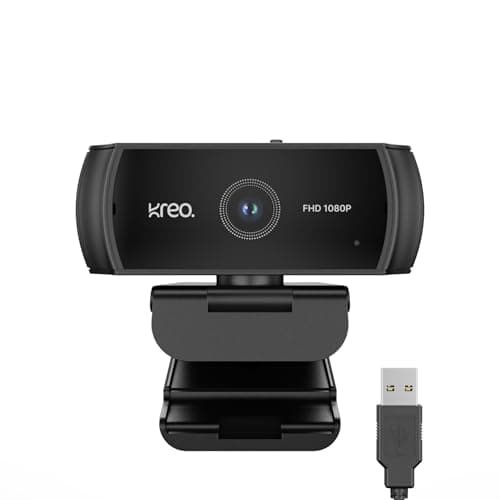
The Kreo Owl Lite packs the most features per rupee in this roundup: 1080p, autofocus, dual microphones, and a privacy shutter — all at ₹1,999. That feature set typically costs ₹500-₹1,000 more from established brands. Autofocus keeps you sharp when you lean forward or move around, and dual mics provide better voice pickup than single-mic competitors. The wide field of view works well for sitting at a desk. Kreo is a rising Indian brand in the gaming and streaming space. The trade-offs: build quality feels basic, low-light performance struggles without good room lighting, and the brand has limited track record and service network.
Pros
- +₹1,999 — cheapest webcam in this roundup
- +Autofocus + dual mics — rare at this price
- +Privacy shutter for security
- +Wide field of view for desk setup
- +1080p/30fps for clear video calls
- +USB plug and play — zero setup
Cons
- -Build quality feels basic and plasticky
- -Low-light performance struggles without good lighting
- -Newer brand with limited service network
- -Dual mic quality is basic — adequate, not great
Score Breakdown
The most features for the least money. Autofocus and dual mics at ₹1,999 is hard to beat. Accept the basic build quality for significantly more capability than competitors at this price.
Mid-Range Picks (₹3,000–₹8,000)
Mid-range webcams are where video call quality gets genuinely good. Better lenses, superior low-light handling, dual microphones, and proven reliability. The Logitech C920 HD Pro has been the industry standard for a decade — it's the webcam that YouTube was built on. If you're on video calls daily for work, this tier is the sweet spot of quality vs price.
Logitech C920 HD Pro
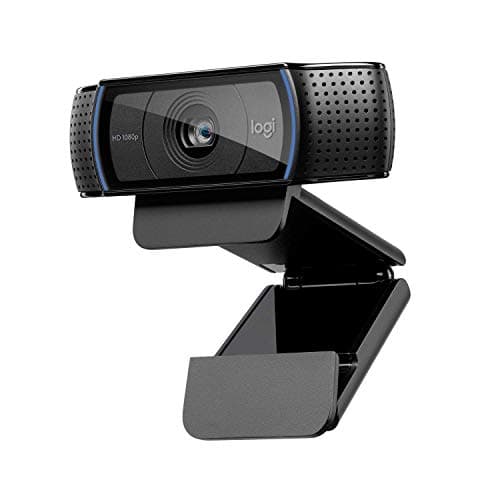
The Logitech C920 is the most proven webcam in the world — there's a reason it's been the go-to for professionals, streamers, and remote workers for over a decade. The 5-element glass lens (not plastic like budget webcams) produces noticeably sharper, more natural-looking video. Autofocus is quick and accurate. Dual microphones with noise reduction capture clear voice from up to 3 feet away. RightLight 2 handles low-light situations better than any other webcam under ₹10,000. Certified for Zoom, Teams, and Meet means zero compatibility headaches. At ₹6,495, it's the most expensive mid-range option, but the image quality and reliability justify every rupee for daily professional use.
Pros
- +5-element glass lens — sharpest image in mid-range
- +RightLight 2 — best low-light handling under ₹10K
- +Dual microphones with noise reduction
- +Quick, accurate autofocus
- +Certified for Zoom, Teams, Meet — zero issues
- +Decade-long proven track record — most reliable webcam
Cons
- -No privacy shutter included (need to buy separately)
- -USB-A only — no USB-C option
- -78-degree FOV may be narrow for group calls
- -₹6,495 — most expensive mid-range pick
Score Breakdown
The mid-range standard for a reason. If you're on video calls daily for work, the C920's glass lens and RightLight 2 deliver the most professional-looking video under ₹10,000.
Logitech Brio 300
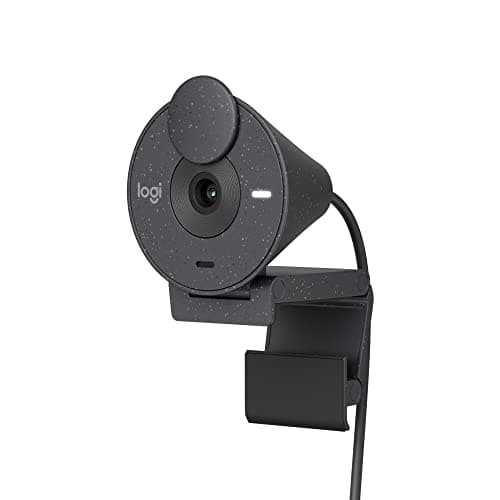
The Logitech Brio 300 is the modern upgrade to the C920 for users who want USB-C and a privacy shutter. If your laptop only has USB-C ports (most modern MacBooks, Dell XPS, ThinkPads), this eliminates the need for a dongle. The built-in privacy shutter is a physical slider — much more trustworthy than software-based camera toggles. RightLight 2 handles lighting well. The eco-friendly build (48% recycled plastic) is a nice touch without compromising quality. The trade-offs vs the C920: mono microphone (not dual), fixed focus (not autofocus), and some users report grainier low-light images. You're choosing between USB-C convenience (Brio 300) and better image quality (C920).
Pros
- +USB-C — direct connection to modern laptops, no dongle
- +Physical privacy shutter built-in
- +RightLight 2 for decent low-light handling
- +Compact, modern design
- +Eco-friendly 48% recycled plastic build
- +₹2,049 cheaper than C920
Cons
- -Mono microphone — single mic, not dual
- -Fixed focus — no autofocus capability
- -Some reports of grainy low-light images
- -Image quality slightly behind C920's glass lens
Score Breakdown
The right pick if USB-C and a privacy shutter matter more than autofocus. Best for modern laptops where the C920's USB-A would need a dongle.
Kreo Owl 4K PRO
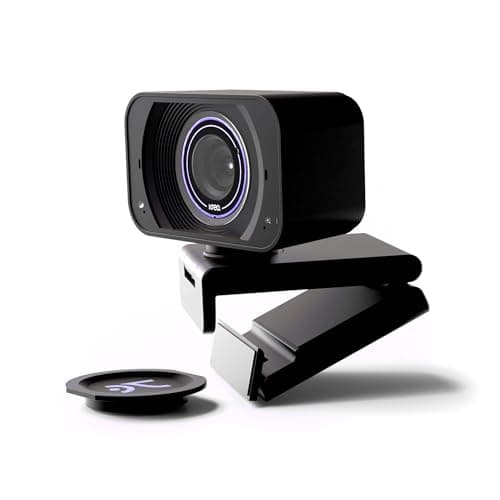
The Kreo Owl 4K PRO is the most compelling mid-range webcam in India right now. The Sony IMX260 sensor — the same class used in flagship smartphones — captures noticeably better detail and colour than standard webcam sensors at this price. 4K/30fps for recording and 1080p/60fps for butter-smooth video calls means you get the best of both worlds. Touch controls on the camera body let you adjust zoom and brightness without fumbling with software — a thoughtful feature no competitor offers here. PDAF autofocus is fast and reliable. Dual noise-cancelling mics handle voice well in typical home office environments. The privacy shutter is a physical slider. At ₹6,177, it undercuts the Logitech C920 (₹6,495) while offering 4K and 60fps that the C920 lacks. The trade-off: Kreo is a newer Indian brand with a smaller service network than Logitech, and the touch controls feel slightly gimmicky in practice.
Pros
- +Sony IMX260 sensor — best sensor quality in mid-range
- +4K/30fps + 1080p/60fps — most versatile mid-range option
- +Touch controls for zoom and brightness — unique feature
- +PDAF autofocus — fast and accurate
- +Dual noise-cancelling microphones
- +₹2,000 cheaper than the C920 with better specs on paper
Cons
- -Newer brand with limited service network
- -Touch controls can feel gimmicky in practice
- -Low-light performance trails Logitech's RightLight 2
- -Limited long-term reliability data
Score Breakdown
The best-specced mid-range webcam in India. Sony IMX260 sensor, 4K, and 60fps at ₹6,177 is hard to argue with — if you're comfortable with a newer brand over Logitech's proven track record.
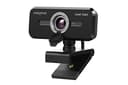
Creative Live! Cam Sync 1080p V2
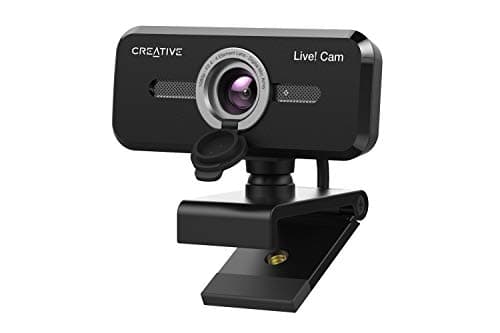
The Creative Live! Cam Sync V2 is the best option for video calls where you need to show more than just your face — group calls, showing your desk setup, or presenting physical objects. The wide-angle lens captures significantly more of your surroundings than the Logitech C920's 78-degree FOV. Dual microphones with auto noise cancellation handle voice well. The 1.8m cable is the longest in this roundup — useful if your USB port is awkwardly placed. The privacy lens cap covers the camera when not in use. At ₹3,999, it's ₹4,000 cheaper than the C920. The compromise: it needs good lighting to look its best — in dim rooms, the image gets noticeably grainy.
Pros
- +Wide-angle lens — shows more of your space
- +Dual microphones with noise cancellation
- +1.8m cable — longest in this roundup
- +Privacy lens cap included
- +Universal tripod mount for flexible placement
- +₹3,999 — cheapest mid-range option
Cons
- -Needs good lighting — grainy in dim rooms
- -Wide angle may show too much background
- -No USB-C option
- -Auto-light correction less effective than Logitech RightLight
Score Breakdown
The best wide-angle webcam under ₹5,000. Perfect for group calls and desk presentations. Just make sure your room is well-lit.
Premium Picks (₹8,000+)
Premium webcams are for professionals and content creators who need the best possible video quality. You get 4K resolution, large Sony sensors that handle low-light brilliantly, AI features like auto-framing, and studio-grade build quality. These webcams make you look like you're on a professional video production — not a laptop webcam call.
Logitech MX Brio 4K
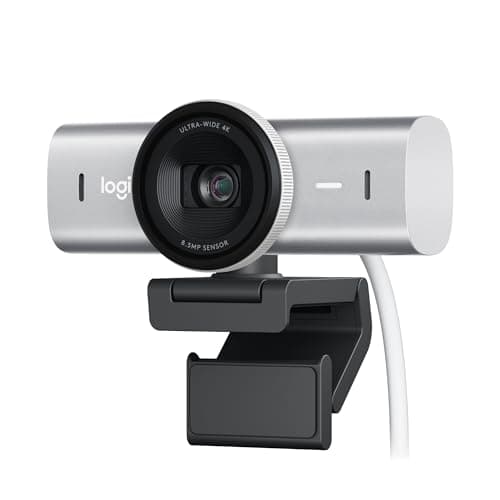
The Logitech MX Brio is the best webcam you can buy in India. The large Sony sensor has 70% bigger pixels than standard webcam sensors — this translates directly to dramatically better low-light performance. In a dimly lit room where budget webcams produce grainy, noisy video, the MX Brio delivers clean, professional-looking footage. 4K/30fps captures stunning detail for recordings and streaming, while 1080p/60fps provides buttery smooth video for calls. AI-enhanced processing optimises exposure and colour in real-time. Show Mode lets you switch to a desk-down view during presentations — useful for showing documents, drawings, or products. Dual noise-reducing mics mean you don't need a separate microphone for calls. At ₹18,995, it's expensive — but it includes a free Adobe Creative Cloud subscription and produces video quality that would cost significantly more with dedicated camera setups.
Pros
- +Large Sony sensor — 70% bigger pixels for best low-light
- +4K/30fps + 1080p/60fps — best of both worlds
- +AI-enhanced image processing for optimal exposure
- +Show Mode for overhead desk sharing
- +USB-C with privacy cover
- +Free Adobe Creative Cloud subscription included
Cons
- -Most expensive at ₹18,995
- -4K not utilized on most video call platforms
- -May be overkill for occasional video calls
- -Large form factor compared to compact webcams
Score Breakdown
The best webcam in India. Period. The Sony sensor's low-light performance alone justifies the price for professionals who are on camera daily. Show Mode and 4K recording are bonuses.
Dell UltraSharp WB7022 4K Webcam
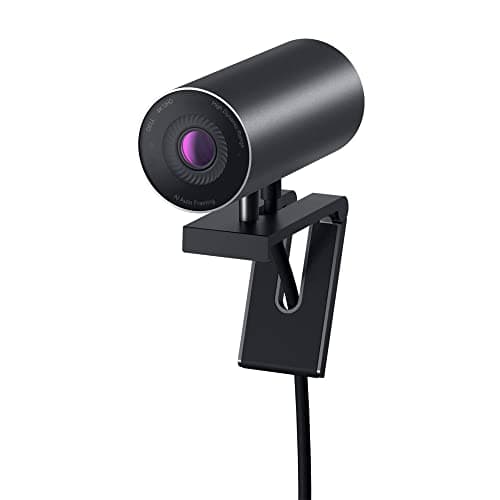
The Dell UltraSharp WB7022 is built for corporate professionals and enterprise environments. The Sony STARVIS sensor is designed for low-light surveillance applications — repurposed here, it delivers exceptional low-light video quality. AI auto-framing keeps you centred in the frame even as you move around. Digital Overlap HDR handles mixed lighting (window behind you + screen in front) better than any other webcam here. Dell ExpressSign-In uses an IR sensor for Windows Hello face recognition — log in by sitting down. The premium aluminium build is the most professional-looking webcam in this roundup. The critical compromise: no built-in microphone. You'll need a separate mic or headset, which adds cost and desk clutter. At ₹16,219, it's ₹5,304 cheaper than the MX Brio.
Pros
- +Sony STARVIS sensor — exceptional low-light performance
- +AI auto-framing keeps you centred automatically
- +Digital HDR handles mixed lighting beautifully
- +ExpressSign-In with IR for Windows Hello
- +Premium aluminium build — most professional design
- +3-year Dell warranty
Cons
- -No built-in microphone — external mic required
- -Limited software support compared to Logitech
- -Heavier design — not travel-friendly
- -Best optimised for Dell ecosystem and Windows
Score Breakdown
The best enterprise webcam. Sony STARVIS sensor and AI auto-framing deliver stunning video quality. Accept the missing mic if you already use a headset — which most professionals do.
Comparison Table
| Spec | Logitech MX Brio 4K | Dell WB7022 4K | Logitech C920 | Kreo Owl 4K PRO | Logitech Brio 300 | Creative Live! Cam | Logitech Brio 100 | Zebronics Pure Plus | Kreo Owl Lite |
|---|---|---|---|---|---|---|---|---|---|
| Price | ₹19,995 | ₹14,691 | ₹6,495 | ₹6,177 | ₹5,946 | ₹3,999 | ₹2,995 | ₹2,299 | ₹1,999 |
| Tier | Premium | Premium | Mid | Mid | Mid | Mid | Budget | Budget | Budget |
| Resolution | 4K/30fps | 4K/30fps | 1080p/30fps | 4K/30fps | 1080p/30fps | 1080p/30fps | 1080p/30fps | 4K/30fps | 1080p/30fps |
| Sensor | Sony (large) | Sony STARVIS | Standard | Sony IMX260 | Standard | Standard | Standard | Standard | Standard |
| Focus | Autofocus | Autofocus | Autofocus | PDAF | Fixed | Fixed | Fixed | Autofocus | Autofocus |
| Microphone | Dual | None | Dual | Dual | Mono | Dual | Mono | Mono | Dual |
| Connection | USB-C | USB-C | USB-A | USB-A | USB-C | USB-A | USB-A | USB-A | USB-A |
| Privacy | Cover | Shutter | No | Shutter | Shutter | Cap | Shutter | Shutter | Shutter |
| AI Features | Low-light AI, Show Mode | Auto-frame, HDR | RightLight 2 | Touch controls | RightLight 2 | Noise Cancel | RightLight | Auto adjust | — |
| Score | 9.0 | 8.7 | 8.5 | 8.2 | 8.3 | 8.0 | 7.8 | 7.6 | 7.4 |
How We Score
| Criterion | Weight | Based On |
|---|---|---|
| Video | 30% | Resolution, frame rate, sharpness, colour accuracy, autofocus speed and reliability, and overall video quality in well-lit conditions |
| Low Light | 25% | Image quality in dim rooms, noise reduction, sensor size and quality, auto-light correction effectiveness, and HDR capability |
| Mic | 15% | Voice clarity, noise reduction, pickup range, mono vs dual microphone, and overall audio quality for calls |
| Build | 15% | Physical construction quality, mounting mechanism, privacy shutter/cover, cable length, design aesthetics, and warranty |
| Value | 15% | Price relative to features and video quality, discount from MRP, included software/subscriptions, and long-term reliability |
Scores are on a 0-10 scale. Video quality and low-light performance are weighted highest because they determine how you look on camera — the entire reason you buy a webcam. Most Indian homes and offices have inconsistent lighting, making low-light handling especially important.
Setting up a work-from-home desk?
A webcam is one piece of the puzzle. Good lighting (even a ₹500 ring light) can improve your video quality more than upgrading your webcam. Check our electronics hub for more gear recommendations.
Browse Electronics →→Frequently Asked Questions
For video calls alone — no. Zoom caps at 1080p (and often drops to 720p), Microsoft Teams uses 1080p at best, and Google Meet maxes at 720p for most users. The 4K advantage matters for: local recording (YouTube, courses), streaming at high quality, and future-proofing. If you only make video calls, save money with a 1080p webcam like the Logitech C920 or Brio 300.
For casual video calls — no, the built-in mics on Logitech C920, Creative Live! Cam, and Kreo Owl Lite are adequate. For professional meetings, podcasting, or streaming — yes, a dedicated microphone is a significant upgrade. The Dell UltraSharp WB7022 has no mic at all, so a separate mic is mandatory with that model. A ₹2,000 lavalier mic or USB condenser mic paired with any webcam will sound better than any built-in webcam microphone.
For students attending classes: Logitech Brio 100 (₹2,995) or Kreo Owl Lite (₹1,999) — affordable, reliable, good enough for video calls. For teachers conducting classes: Logitech C920 (₹6,495) for the best image quality, or Creative Live! Cam Sync V2 (₹3,999) if you need to show more of your whiteboard or desk with the wide-angle lens.
Check your laptop's ports. If you have USB-A ports available (the rectangular ones), USB-A webcams (C920, Creative, Brio 100) work plug-and-play. If your laptop only has USB-C (MacBook Air/Pro, Dell XPS, modern ThinkPads), the Logitech Brio 300 or MX Brio 4K connect directly without a dongle. USB-A webcams can work with USB-C laptops using a ₹200-500 adapter, but a native USB-C connection is cleaner.