Best Monitors in India (2026)
Best monitors from ₹6,425 to ₹12,550 — ranked on display quality, eye comfort, build, and features. 7 picks for office, study, and general use.
Last updated: 8 May 2026
A good general-purpose monitor needs an IPS panel (for accurate colours and wide viewing angles), at least 100Hz refresh rate (for smooth scrolling and cursor movement), and decent eye-care features if you stare at it 8+ hours daily. All 7 picks here are 24-inch FHD IPS monitors — the sweet spot for office desks, study tables, and home setups. If desk space is tight or you travel often, a portable monitor gives you a second screen that fits in a backpack.
These are not gaming monitors. If you need high refresh rates (180Hz+), adaptive sync for gaming, or QHD/4K resolution, see our Best Gaming Monitors in India (2026). This roundup is for people who need a reliable daily-use monitor for work, study, browsing, and casual entertainment.
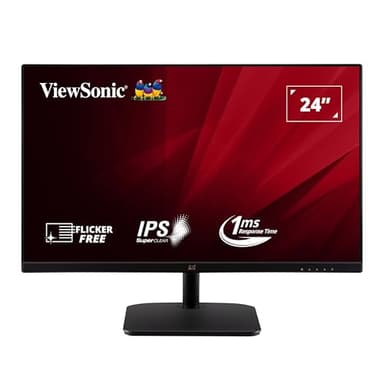
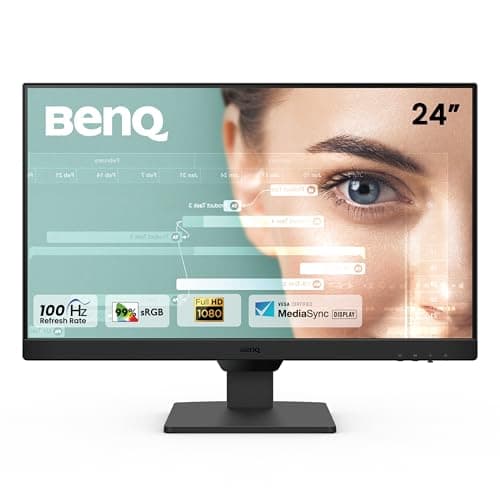
BenQ GW2490 24-inch IPS 100Hz
24-inch IPS with 99% sRGB, Brightness Intelligence that auto-adjusts to ambient light, dual HDMI + DisplayPort, and BenQ's best-in-class eye-care technology. The most comfortable monitor for long work sessions.
Check Price on AmazonNot sure what specs matter? Our Laptop Buying Guide covers display basics that apply to external monitors too.
At a Glance
This article contains affiliate links. We may earn a small commission at no cost to you. Learn more
Acer EK240Y P6 23.8" 144Hz
Best Budget₹6,425
Samsung S3 24" 100Hz
Best Design₹6,799
Acer B247Y D6 23.8" 120Hz
Best Office₹12,550
LG 24MR400 24" 100Hz
Best Software₹11,249
Detailed Reviews
BenQ GW2490 24-inch IPS 100Hz
The BenQ GW2490 is the best monitor for people who spend 8+ hours daily in front of a screen. BenQ's Brightness Intelligence technology automatically adjusts screen brightness based on ambient light — work near a window during the day and it brightens up, switch off room lights at night and it dims down. This genuinely reduces eye fatigue compared to manually adjusting brightness. 99% sRGB means colours are accurate for document work, photo viewing, and web design. The Coding Mode increases font clarity for programmers, and ePaper Mode simulates paper-like contrast for long reading sessions. Dual HDMI lets you connect two devices (laptop + desktop) and switch with one button. At ₹8,099, it costs more than the budget picks but the eye-care technology justifies the premium for heavy daily use.
Pros
- +Brightness Intelligence auto-adjusts to ambient light
- +99% sRGB — accurate, consistent colours
- +Coding Mode + ePaper Mode for specific tasks
- +Dual HDMI + DisplayPort — connect 3 devices
- +Eyesafe certified low blue light without colour shift
- +3-year BenQ warranty
Cons
- -100Hz — slower than Acer EK240Y's 144Hz
- -No height adjustment on stand
- -No USB hub
- -Built-in speakers are basic quality
Score Breakdown
The best monitor for daily work and study. Brightness Intelligence and eye-care modes make a real difference during long sessions. Worth the premium over cheaper monitors if you use it 6+ hours daily.
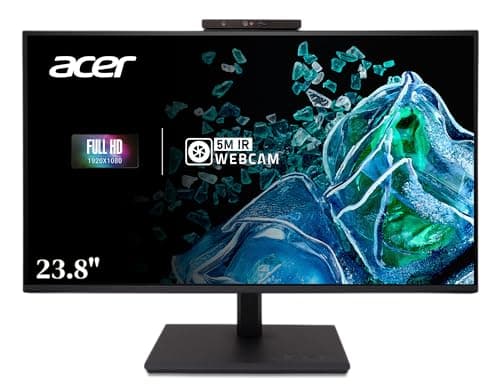
Acer B247Y D6 23.8-inch IPS 120Hz
The Acer B247Y D6 packs more features per rupee than any monitor in this roundup. The built-in IR webcam with human presence detection locks your screen when you walk away and unlocks when you return — a genuine security and convenience feature for office use. The fully adjustable stand (height, tilt, swivel, pivot) lets you position the screen perfectly and even rotate to portrait mode for reading long documents or code. The USB 3.2 hub turns one connection into multiple USB ports for peripherals. 120Hz is smoother than the standard 100Hz on most office monitors. Stereo speakers mean one less thing on your desk. At ₹12,550, it undercuts the BenQ and Dell while offering more features. The trade-off: Acer's eye-care technology is basic compared to BenQ's Brightness Intelligence.
Pros
- +Built-in IR webcam with presence detection — auto-lock/unlock
- +Full ergonomic stand — height, tilt, swivel, pivot
- +USB 3.2 hub — rare at this price
- +120Hz — smoother than 100Hz competitors
- +Stereo speakers included
- +₹12,550 — cheaper than BenQ and Dell with more features
Cons
- -Eye-care technology basic vs BenQ
- -Acer service network weaker than Dell/LG in smaller cities
- -Webcam image quality is basic for video calls
- -No AMD FreeSync
Score Breakdown
The best office monitor. Webcam, adjustable stand, USB hub, speakers, and 120Hz for ₹12,550 — no other monitor at this price includes all of this. The clear pick for office desks and work-from-home setups.
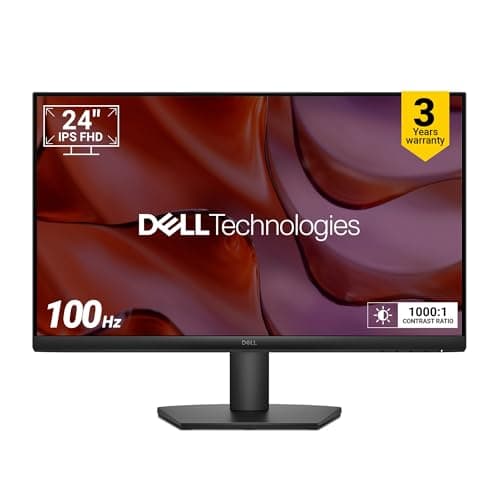
Dell SE2425HM 24-inch IPS 100Hz
The Dell SE2425HM is for buyers who prioritize reliability and after-sales support above all else. Dell's 3-year warranty with on-site service in most Indian cities is the best in this roundup — if something goes wrong, Dell sends a technician to your location. ComfortView Plus is an always-on low blue light filter that works without adding a yellow tint to the screen — you get eye protection without sacrificing colour accuracy. TÜV Rheinland 3-Star certification is the highest eye comfort rating in this roundup. The build quality feels premium — the stand is stable and the bezels are genuinely thin. The trade-off: at ₹8,199, you get fewer features than the Acer B247Y (no webcam, no USB hub, no height adjustment, no speakers) and the same price as the BenQ with less advanced eye-care technology. You are paying for Dell's reliability and service.
Pros
- +Dell 3-year warranty with on-site service
- +ComfortView Plus — always-on blue light filter without colour shift
- +TÜV 3-Star Eye Comfort — highest certification in this roundup
- +Solid build quality and stable stand
- +Dell service network covers most Indian cities
Cons
- -₹8,199 — same price as BenQ with fewer features
- -No height adjustment, no pivot
- -No USB hub or speakers
- -HDMI + VGA only — no DisplayPort
- -100Hz — standard, not standout
Score Breakdown
The safest buy. Dell's warranty and service make this the least risky purchase. If you do not want to worry about what happens if something breaks, this is the pick.
Samsung S3 24-inch IPS 100Hz
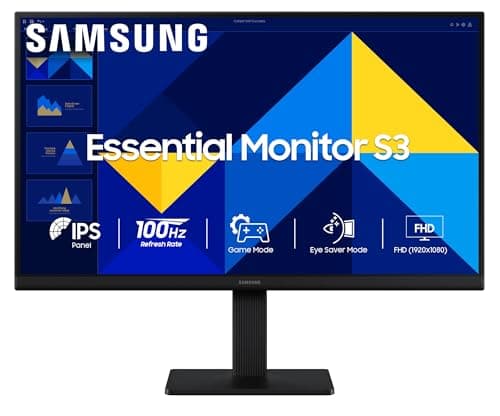
The Samsung S3 is the best-looking monitor in this roundup. The super slim profile and borderless design make it look premium on any desk — it does not scream 'budget monitor' the way thicker alternatives do. AMD FreeSync adds basic adaptive sync for casual gaming (no screen tearing in less demanding games). Game Mode optimises contrast and response time for gaming. Eye Saver Mode reduces blue light for comfortable extended use. At ₹6,799, it sits in the middle of the price range with Samsung's strong brand and service network. The trade-offs: no height adjustment, no speakers, no USB hub, and VGA + HDMI only. But if desk aesthetics matter to you, the Samsung's slim design is unmatched.
Pros
- +Slimmest, most attractive design in this roundup
- +AMD FreeSync — smooth casual gaming
- +Samsung brand and service network
- +Eye Saver Mode + Flicker-Free
- +₹7,490 — competitive mid-range pricing
- +VESA wall mountable
Cons
- -No height adjustment on stand
- -No speakers, no USB hub
- -HDMI + VGA only — no DisplayPort
- -100Hz — standard refresh rate
- -Game Mode is basic
Score Breakdown
The best-looking budget monitor. If your desk setup matters to you and you want a slim, modern-looking display, the Samsung S3 delivers aesthetics that others in this price range cannot match.
LG 24MR400 24-inch IPS 100Hz
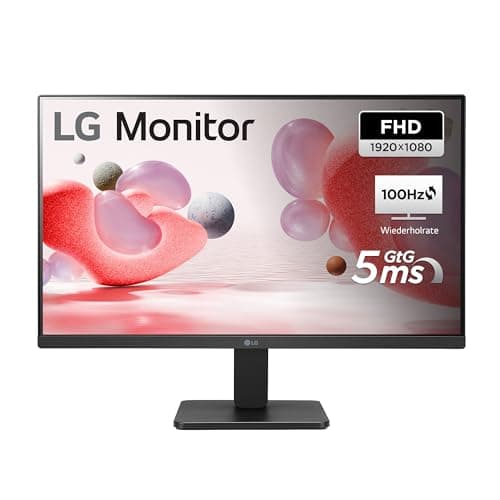
The LG 24MR400 stands out for its software features. OnScreen Control lets you adjust all monitor settings — brightness, contrast, colour profiles, split screen layouts — from a desktop app instead of fiddly physical buttons on the monitor. Reader Mode reduces blue light and adjusts contrast specifically for text-heavy content. Black Stabilizer brightens dark areas, useful for viewing dark photos or videos. 99% sRGB colour accuracy matches the BenQ for accurate colours. AMD FreeSync adds smooth scrolling. At ₹11,249, it is the most expensive monitor in this roundup, and the price is hard to justify when the BenQ GW2490 offers better eye-care technology for ₹810 less. The LG is the pick if you value LG's service network and the OnScreen Control software.
Pros
- +OnScreen Control — adjust settings from desktop app
- +99% sRGB — accurate colours
- +Reader Mode for text-heavy work
- +Black Stabilizer for dark content
- +LG service network across India
- +AMD FreeSync
Cons
- -₹11,249 — most expensive in this roundup
- -No height adjustment, no pivot
- -No speakers, no USB hub
- -HDMI + VGA only — no DisplayPort
- -Hard to justify over BenQ GW2490 at ₹8,099
Score Breakdown
A solid LG monitor with the best software controls, but overpriced at ₹11,249. Buy this if you specifically want LG's service network or OnScreen Control. Otherwise, the BenQ GW2490 is better value.
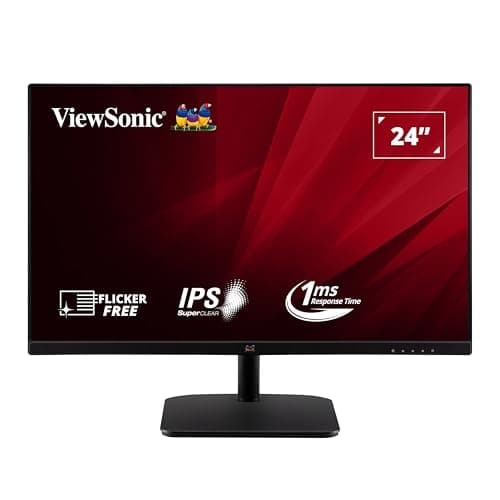
ViewSonic VA2432-H 24-inch IPS 100Hz
The ViewSonic VA2432-H delivers the most features at a budget price. Built-in speakers and 104% sRGB colour gamut at ₹6,890 — most monitors at this price skip speakers entirely and offer lower colour coverage. 1ms response time is the fastest in the non-gaming monitors here, making cursor movement and window dragging feel snappy. AMD FreeSync eliminates screen tearing during casual gaming and video playback. Flicker-Free and Low Blue Light reduce eye strain for extended use. At ₹6,890, it undercuts the Samsung S3 while including speakers. The trade-off: ViewSonic's service network in India is significantly smaller than Samsung, LG, or Dell. If service matters less than features per rupee, this is the pick.
Pros
- +₹6,890 — excellent features per rupee
- +Built-in speakers — rare at this price
- +104% sRGB — widest colour gamut in budget range
- +1ms response — snappiest cursor movement
- +AMD FreeSync for smooth playback
- +Flicker-Free + Low Blue Light eye protection
Cons
- -ViewSonic service network small in India
- -No height adjustment on stand
- -HDMI + VGA only — no DisplayPort
- -Built-in speakers are basic
- -Brand less recognizable than Samsung/Dell/LG
Score Breakdown
The best features per rupee. Speakers, 104% sRGB, and 1ms at ₹6,890 beats everything else in the budget range. Accept ViewSonic's smaller service network for the best value.
Acer EK240Y P6 23.8-inch IPS 144Hz
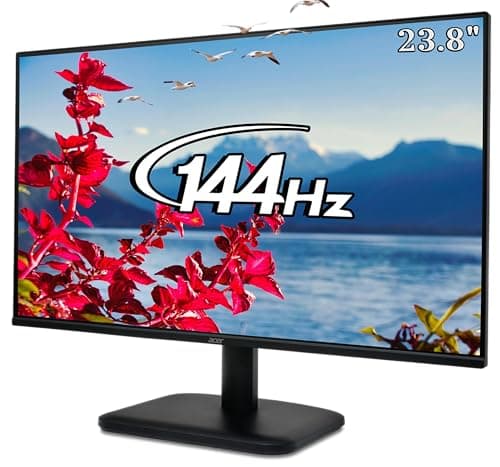
The Acer EK240Y P6 is the cheapest monitor in this roundup at ₹6,425 and, paradoxically, has the highest refresh rate at 144Hz. That 144Hz makes everything feel smoother — scrolling web pages, dragging windows, even moving the cursor. It is noticeably smoother than the 100Hz monitors at higher prices. AMD FreeSync prevents tearing during casual gaming. 1ms VRB response time keeps motion sharp. The zero-frame design looks clean on a desk. At ₹6,425, you are getting gaming-grade smoothness at the cheapest price. The trade-offs: 95% sRGB is lower colour accuracy than the 99% on BenQ and LG, eye-care features are basic, no speakers, no USB hub, and Acer's service can be inconsistent. But for pure performance per rupee, nothing beats this.
Pros
- +₹6,425 — cheapest monitor in this roundup
- +144Hz — smoothest scrolling and cursor movement
- +1ms VRB — sharp motion handling
- +AMD FreeSync for tear-free casual gaming
- +Zero-frame design
- +Best performance per rupee
Cons
- -95% sRGB — lower colour accuracy than BenQ/LG
- -Basic eye-care features
- -No speakers, no USB hub
- -VGA + HDMI only
- -Acer service inconsistent in some cities
Score Breakdown
The cheapest way to get a quality IPS monitor. 144Hz at ₹6,425 is unbeatable value. Perfect for students and budget-conscious buyers who want smooth performance without spending more.
Comparison Table
| Spec | BenQ GW2490 | Acer B247Y D6 | Dell SE2425HM | Samsung S3 | LG 24MR400 | ViewSonic VA2432-H | Acer EK240Y P6 |
|---|---|---|---|---|---|---|---|
| Price | ₹8,490 | ₹12,550 | ₹8,199 | ₹7,490 | ₹11,249 | ₹6,890 | ₹6,425 |
| Size | 24" | 23.8" | 24" | 24" | 24" | 24" | 23.8" |
| Refresh | 100Hz | 120Hz | 100Hz | 100Hz | 100Hz | 100Hz | 144Hz |
| Response | 5ms | — | 5ms | 5ms | 5ms | 1ms | 1ms VRB |
| sRGB | 99% | — | — | — | 99% | 104% | 95% |
| FreeSync | No | No | No | Yes | Yes | Yes | Yes |
| Speakers | Yes | Yes | No | No | No | Yes | No |
| USB Hub | No | Yes | No | No | No | No | No |
| Webcam | No | Yes (IR) | No | No | No | No | No |
| Height Adj. | No | Yes | No | No | No | No | No |
| Warranty | 3yr | — | 3yr Dell | — | — | — | — |
| Score | 8.4 | 8.2 | 8.0 | 7.8 | 7.6 | 7.5 | 7.3 |
How We Score
| Criterion | Weight | Based On |
|---|---|---|
| Display | 25% | Panel quality, resolution clarity at 24 inches, colour accuracy (sRGB coverage), contrast ratio, and viewing angles |
| Eye Care | 25% | Blue light filtering quality, flicker-free certification, brightness adjustment technology, and eye comfort certifications (TÜV, Eyesafe) |
| Build | 20% | Stand stability, bezel thickness, overall construction quality, design aesthetics, and warranty coverage |
| Features | 20% | Ports (HDMI, DisplayPort, VGA, USB hub), built-in speakers, webcam, stand adjustability (height/tilt/swivel/pivot), and VESA mount support |
| Value | 10% | Price relative to features, and how well the monitor serves its target use case |
Eye Care is weighted equally with Display because these are daily-use monitors — comfort over 8+ hours matters as much as picture quality. Gaming-specific metrics like adaptive sync and response time are weighted lower since this is not a gaming monitor roundup.
Need Help Choosing?
Not sure which one is right for you? Our buying guide breaks down the key factors.
Read the Buying Guide →→Frequently Asked Questions
100Hz is a noticeable improvement over the old 60Hz standard — scrolling, cursor movement, and window dragging all feel smoother. 144Hz (like the Acer EK240Y P6) is even smoother but the difference between 100Hz and 144Hz is subtle for non-gaming use. If you are choosing between two otherwise similar monitors, pick the higher refresh rate. But do not pay significantly more just for refresh rate if your primary use is office work.
Yes, if you use the monitor 6+ hours daily. BenQ's Brightness Intelligence and Dell's ComfortView Plus genuinely reduce eye fatigue by adjusting blue light and brightness automatically. Generic 'low blue light' modes on budget monitors often add a yellow tint that makes colours inaccurate. The BenQ GW2490 at ₹8,099 is worth the extra ₹1,700 over the cheapest option if daily comfort matters to you.
Built-in monitor speakers are basic — fine for system sounds, video calls, and casual YouTube watching, but not for music or movies. The BenQ GW2490, Acer B247Y D6, and ViewSonic VA2432-H include speakers. If you would otherwise use laptop speakers or have no desk space for external speakers, built-in speakers are a useful bonus. But do not choose a monitor primarily for its speakers.
IPS is the clear winner for office monitors. It offers the widest viewing angles (colours stay accurate even when viewed from the side), the best colour accuracy, and comfortable brightness. VA has better contrast but narrower viewing angles. TN has the fastest response but worst colours and viewing angles. All 7 monitors in this roundup are IPS — it is the standard for good reason.
For casual gaming (Minecraft, FIFA, indie games, older titles) — yes, all of these work fine. The Acer EK240Y P6 at 144Hz with FreeSync is the best choice for light gaming. For competitive esports (CS2, Valorant, Apex Legends) or AAA titles at high settings, see our gaming monitors roundup — you need 180Hz+ and adaptive sync for a proper gaming experience.