Best Gaming Monitors in India (2026)
Best gaming monitors from ₹8,299 to ₹1,05,099 — ranked on display quality, refresh rate, features, and build. 11 picks across budget, mid-range, and premium tiers.
Last updated: 8 May 2026
A good gaming monitor needs a fast panel (high refresh rate + low response time for smooth, blur-free motion), the right resolution for your GPU, and adaptive sync (FreeSync/G-Sync) to eliminate screen tearing. Everything else — HDR, curved panels, USB hubs, built-in speakers — is a bonus.
ProductHunter.in tested gaming monitors across three tiers: budget (under ₹20,000), mid-range (₹20,000–₹40,000), and premium (₹40,000+). Prices range from ₹10,299 to ₹89,990. The jump from budget to mid-range upgrades you from 1080p to 1440p QHD — a massive visual clarity improvement. The premium tier adds OLED panels with perfect blacks, 4K resolution, and ultrawide formats.
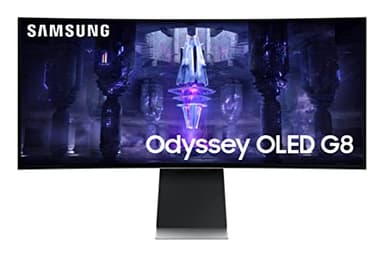
Samsung Odyssey OLED G8 34-inch
34-inch QD-OLED ultrawide with perfect blacks, 175Hz, 0.1ms response, and smart TV features built in. The most immersive gaming experience under ₹1 lakh. QD-OLED delivers colours and contrast that IPS and VA panels simply cannot match.
Check Price on AmazonAt a Glance
This article contains affiliate links. We may earn a small commission at no cost to you. Learn more
Samsung Odyssey OLED G8 34"
Best Overall₹1,05,099
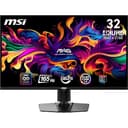
MSI MAG 321UP QD-OLED 4K
Best 4K Gaming₹99,999
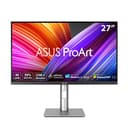
ASUS ProArt PA279CRV 27" 4K
Best Dual-Use₹52,490
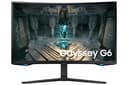
Samsung Odyssey G6 27" QHD
Best Mid-Range₹22,199
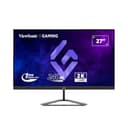
ViewSonic VX2758A 27" QHD 240Hz
Best Value QHD₹19,489
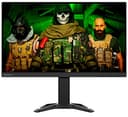
Lenovo Legion R27q 27" QHD
Best Ergonomics₹15,290
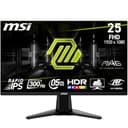
MSI MAG 255XF 24.5" FHD 300Hz
Best Esports₹13,599
LG Ultragear 27" FHD 180Hz
Best Budget 27"₹9,199
Lenovo Legion R24e 24" FHD 180Hz
Cheapest Pick₹10,299
LG UltraGear 27GS60QC-B 27" QHD Curved
Best Curved₹14,999
Budget Picks (Under ₹20,000)
Under ₹20,000, you get 1080p monitors with 180–300Hz refresh rates — more than enough for smooth gaming. The trade-off: 1080p resolution means text and details aren't as sharp as QHD, especially on 27-inch panels. For competitive esports (CS2, Valorant, Apex), where frame rate matters more than visual fidelity, these monitors are the right choice.
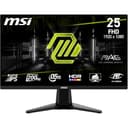
MSI MAG 255XF 24.5-inch FHD 300Hz Rapid IPS
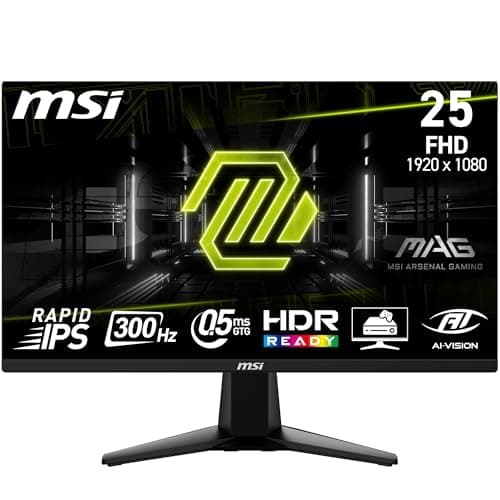
The MSI MAG 255XF is built for one thing: competitive esports. At 300Hz, it's the fastest monitor in this roundup — the jump from 144Hz to 300Hz is genuinely noticeable in fast-paced shooters. Enemies appear earlier when peeking corners, flick shots feel more responsive, and tracking moving targets is smoother. The Rapid IPS panel delivers 0.5ms response time with better colour accuracy than typical TN esports panels. FreeSync Premium + G-Sync compatibility means no tearing regardless of your GPU brand. DisplayHDR 400 adds some brightness punch. At ₹13,599, this is the cheapest way to get 300Hz. The trade-offs: 24.5 inches is small for immersive gaming, FHD resolution looks soft compared to QHD, and there are no speakers.
Pros
- +300Hz — fastest refresh rate in this roundup
- +0.5ms Rapid IPS — sharp motion with good colours
- +FreeSync Premium + G-Sync Compatible
- +DisplayHDR 400 for brightness boost
- +MSI Gaming OSD app for easy settings
- +Best monitor for CS2, Valorant, Apex Legends
Cons
- -24.5 inches — small for immersive games
- -FHD resolution looks soft vs QHD competitors
- -No built-in speakers
- -No USB hub
- -HDR 400 is minimal HDR implementation
Score Breakdown
The esports weapon. If your primary games are competitive shooters and every millisecond matters, 300Hz at ₹13,599 is the fastest you can get. Not for cinematic single-player games.
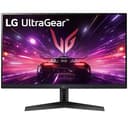
LG Ultragear 27-inch FHD IPS 180Hz
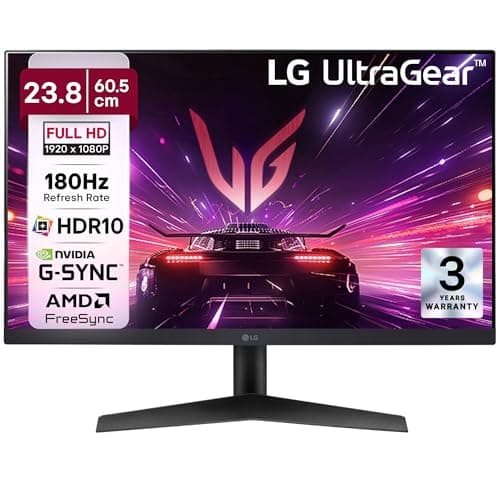
The LG Ultragear 27 is the best option if you want a larger 27-inch screen at budget pricing. The extra screen size over 24.5-inch monitors makes single-player games, RPGs, and open-world titles more immersive. 180Hz at 1ms on an IPS panel delivers smooth, blur-free gaming. Black Stabilizer brightens dark areas in games — a genuine competitive advantage in games like Escape from Tarkov and horror titles where enemies hide in shadows. LG's service network across India is strong. The compromise: FHD at 27 inches means individual pixels are more visible than at 24 inches — text and UI elements look slightly soft. HDMI 1.4 (not 2.0 or 2.1) limits console connectivity.
Pros
- +27-inch IPS — more immersive than 24-inch monitors
- +180Hz + 1ms — smooth and responsive
- +Black Stabilizer for dark-scene visibility
- +FreeSync Premium + G-Sync Compatible
- +LG's strong service network across India
- +₹16,990 — affordable for 27-inch gaming
Cons
- -FHD at 27 inches — pixels more visible, text softer
- -HDMI 1.4 — limited for console use
- -No height adjustment on stand
- -No USB hub
- -HDR10 lacks brightness for true HDR
Score Breakdown
The best 27-inch gaming monitor under ₹20,000. If screen size matters for immersion and you play single-player games, this beats smaller esports monitors.
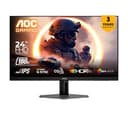
AOC 24G42E 24-inch FHD Fast IPS 180Hz
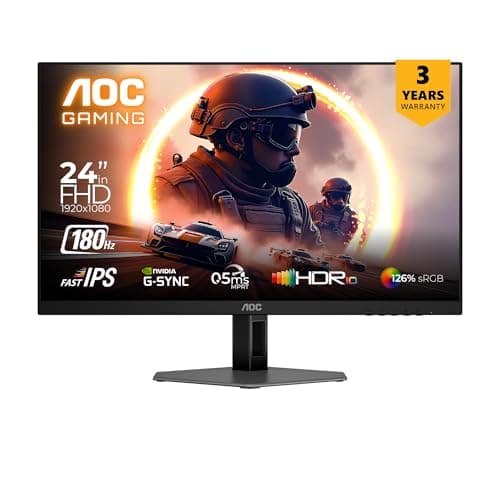
The AOC 24G42E is the cheapest quality gaming monitor in this roundup at ₹8,299. Fast IPS at 0.5ms matches the response time of monitors costing ₹6,000 more. 180Hz is more than enough for any game at 1080p. The USB hub is a rare feature at this price — most budget monitors skip it. FreeSync Premium + G-Sync compatibility means no tearing on any GPU. Low Input Lag technology minimises the delay between your mouse click and on-screen action. At ₹8,299, this is genuine gaming monitor performance for the price of a regular office monitor. The trade-offs: 24 inches is the smallest in this roundup, the stand only tilts (no height/swivel/pivot), and AOC's service network in India is smaller than LG or Samsung.
Pros
- +₹13,990 — cheapest quality gaming monitor
- +Fast IPS 0.5ms — matches expensive monitors
- +USB hub included — rare at this price
- +FreeSync Premium + G-Sync Compatible
- +Low Input Lag for responsive gaming
- +HDMI 2.0 — better than LG's HDMI 1.4
Cons
- -24-inch — smallest in this roundup
- -Stand only tilts — no height adjustment
- -AOC service network smaller in India
- -No built-in speakers
- -HDR10 is basic implementation
Score Breakdown
The best entry point into gaming monitors. ₹13,990 for Fast IPS 180Hz with a USB hub. Perfect first gaming monitor for budget-conscious gamers.
Lenovo Legion R24e 24-inch FHD IPS 180Hz
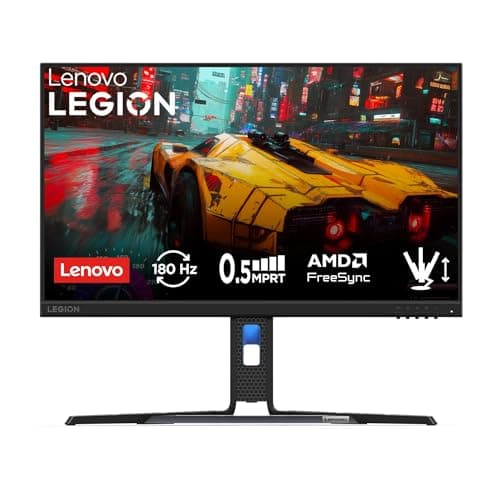
The Lenovo Legion R24e is the cheapest gaming monitor in this roundup at ₹10,299 — nearly half the price of most budget picks. 180Hz at 0.5ms on an IPS panel delivers the same core gaming experience as monitors costing ₹14,000+. 99% sRGB colour accuracy is excellent for the price. The Lenovo Legion branding means proper gaming-grade panel selection. The trade-offs: HDMI 1.4 limits console connectivity, the stand only tilts, and there is no USB hub. But at this price, you are getting genuine gaming monitor performance for less than a regular office monitor.
Pros
- +₹10,299 — cheapest gaming monitor in this roundup
- +180Hz + 0.5ms IPS — same core specs as ₹14K monitors
- +99% sRGB — good colour accuracy
- +AMD FreeSync Premium
- +Lenovo Legion brand quality
Cons
- -HDMI 1.4 — limited for consoles
- -Stand only tilts — no height adjustment
- -No USB hub or speakers
- -DisplayPort 1.2 (not 1.4)
Score Breakdown
The absolute cheapest way into gaming monitors. ₹10,299 for 180Hz IPS is unbeatable value. Perfect for students and first-time gamers on a tight budget.
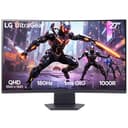
LG UltraGear 27GS60QC-B 27-inch QHD Curved
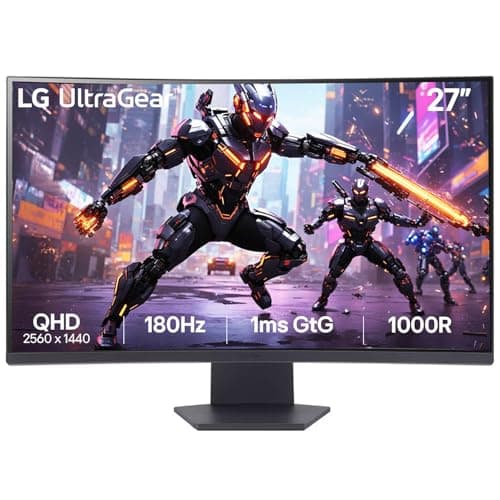
The LG UltraGear 27GS60QC-B is the only curved monitor in this roundup and the cheapest way to get QHD (2560x1440) resolution. The 1500R curve wraps around your field of view — more immersive than flat panels for racing games, flight sims, and open-world exploration. The VA panel delivers deeper blacks and higher contrast than IPS, making dark scenes in games look better. 180Hz at 1ms is fast enough for competitive play. At ₹14,999, it undercuts the flat QHD competition (ViewSonic at ₹19,489, Lenovo at ₹15,290) while adding the curve.
Pros
- +₹19,999 — cheapest QHD monitor in this roundup
- +1500R curve — immersive for racing and open-world games
- +VA panel — deeper blacks than IPS competitors
- +180Hz + 1ms — smooth gaming
- +LG service network across India
Cons
- -VA panel — slower pixel response than IPS in fast motion
- -Curved display not ideal for creative/productivity work
- -No image available — newer launch
- -No USB hub or speakers
Score Breakdown
The best curved gaming monitor under ₹20,000 and the cheapest QHD in this roundup. If you want immersive gaming with deeper blacks, the VA curved panel delivers what flat IPS cannot.
Mid-Range Picks (₹20,000–₹40,000)
The mid-range is the sweet spot for gaming monitors. QHD (2560x1440) resolution is the perfect balance of visual clarity and GPU performance — you get noticeably sharper images than 1080p without needing the GPU horsepower that 4K demands. 240Hz refresh rates enter the picture. This tier is where most serious gamers should buy.
Samsung Odyssey G6 27-inch QHD 240Hz Curved
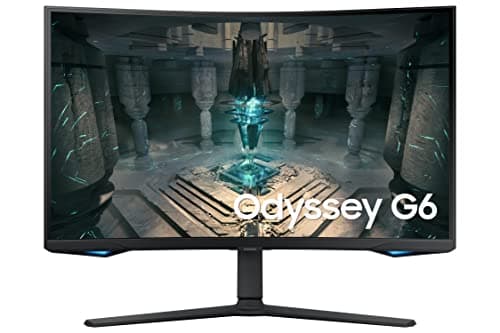
The Samsung Odyssey G6 is the most feature-complete gaming monitor in the mid-range. 240Hz at QHD on a 1000R curved panel is immersive — the curve wraps around your peripheral vision, making games feel like you're inside them. HDR600 with good peak brightness delivers genuinely impactful HDR in supported games. HDMI 2.1 means you can connect a PS5 or Xbox Series X at 1440p/120Hz — most mid-range monitors are stuck on HDMI 2.0. The smart features (Netflix, Prime Video, YouTube) mean this doubles as a streaming display without needing a separate device. At ₹22,199 (down from ₹49,990), it's the most expensive mid-range pick but the most complete.
Pros
- +240Hz + QHD — fast and sharp simultaneously
- +1000R curve — most immersive in mid-range
- +HDR600 — best HDR in this price range
- +HDMI 2.1 for PS5/Xbox at 1440p/120Hz
- +Smart features — streaming apps built in
- +Samsung reliability and service network
Cons
- -VA panel — slightly slower pixel response than IPS in fast motion
- -Curved panel limits colour accuracy for creative work
- -Smart features add cost vs pure gaming monitors
- -Stand has limited adjustability
Score Breakdown
The most complete gaming monitor between ₹20K-₹40K. 240Hz QHD with HDR600, smart features, and HDMI 2.1 — it does everything well. Accept the VA panel trade-offs for the most immersive mid-range experience.
ViewSonic VX2758A 27-inch QHD 240Hz IPS
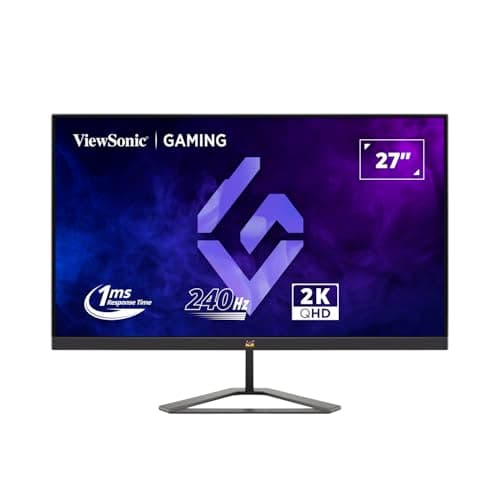
The ViewSonic VX2758A delivers 240Hz at QHD on an IPS panel for ₹24,990 — ₹10,000 less than the Samsung Odyssey G6. That's the same refresh rate and resolution for significantly less money. The IPS panel has better colour accuracy and viewing angles than Samsung's VA, making it usable for both gaming and work. 165% sRGB means colours pop without oversaturation. FreeSync Premium + G-Sync compatibility covers all GPU brands. The height-adjustable stand is well-built. Where it loses to the Samsung: no HDR600 (only basic HDR400), no HDMI 2.1 (so PS5/Xbox are limited), no smart features, and no USB hub. But if raw gaming performance per rupee is your metric, nothing in the mid-range beats this.
Pros
- +240Hz QHD at ₹19,489 — best specs per rupee in mid-range
- +IPS panel — better colours and viewing angles than VA
- +FreeSync Premium + G-Sync Compatible
- +165% sRGB colour gamut — vivid without oversaturation
- +Height-adjustable stand included
- +₹10,000 cheaper than Samsung Odyssey G6
Cons
- -DisplayHDR 400 — entry-level HDR only
- -No HDMI 2.1 — limited PS5/Xbox support
- -No USB hub or smart features
- -ViewSonic service network smaller than Samsung/LG
Score Breakdown
The best value QHD gaming monitor. 240Hz IPS at ₹19,489 is ₹10K cheaper than the Samsung with the same core specs. Skip the extras, keep the performance.
Lenovo Legion R27q-30 27-inch QHD 180Hz
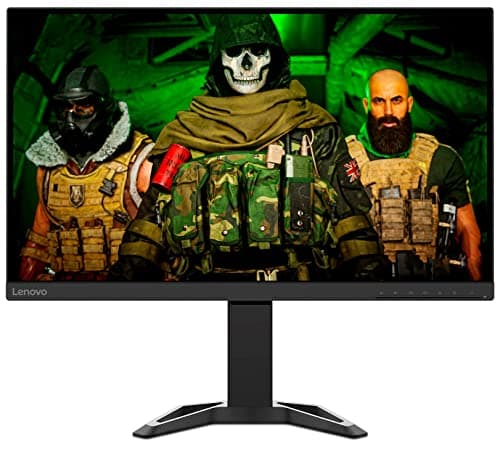
The Lenovo Legion R27q stands out for two things: the best stand in its class and the best colour accuracy. The fully ergonomic stand (height, tilt, swivel, pivot) means you can position the monitor perfectly for your desk setup — most competitors at this price only offer tilt. 90% DCI-P3 colour coverage makes it genuinely usable for creative work alongside gaming — photo editing, design, and video grading. Built-in 3W+3W speakers are basic but save you from needing external speakers for casual use. 180Hz at 0.5ms is slightly slower than the 240Hz competition but more than enough for smooth gaming. At ₹15,290, it's the cheapest QHD monitor in the mid-range and the best work-and-play hybrid.
Pros
- +Best stand in class — height, tilt, swivel, pivot
- +90% DCI-P3 — usable for creative work alongside gaming
- +Built-in speakers — no external speakers needed for casual use
- +180Hz + 0.5ms — fast enough for most games
- +₹15,290 — cheapest QHD mid-range option
- +Lenovo brand reliability and service network
Cons
- -180Hz vs 240Hz on Samsung and ViewSonic
- -No USB hub
- -No HDR certification
- -Built-in speakers are average quality
- -FreeSync Premium only — no G-Sync certification
Score Breakdown
The best work-and-play gaming monitor. If you game and work on the same monitor, the ergonomic stand and DCI-P3 colours make this the most versatile mid-range pick.
Premium Picks (₹40,000+)
Premium gaming monitors are where the technology gets exciting. QD-OLED panels deliver perfect blacks and infinite contrast — dark scenes in games look stunning instead of grey and washed out. 4K resolution at high refresh rates becomes possible. Ultrawide formats expand your field of view. These monitors are investments that last 5+ years and transform how games look and feel.
Samsung Odyssey OLED G8 34-inch QD-OLED
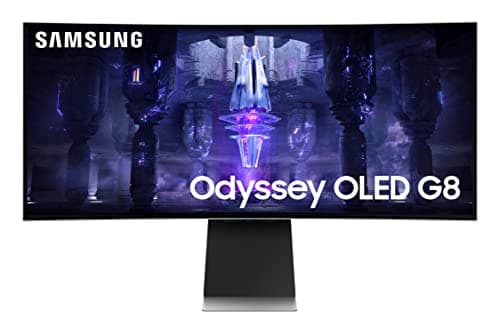
The Samsung Odyssey OLED G8 is the most visually stunning gaming monitor in this roundup. QD-OLED technology delivers perfect blacks (pixels turn completely off), infinite contrast ratio, and wider colours than any IPS or VA panel. In dark scenes — horror games, space games, nighttime in open-world titles — the difference is jaw-dropping. The 34-inch ultrawide format at 3440x1440 fills your peripheral vision, making games genuinely immersive. 175Hz at 0.1ms is fast enough for competitive gaming on an ultrawide. Smart TV apps (Netflix, Prime Video, YouTube) make it a versatile entertainment display. USB-C with Power Delivery charges your laptop while connected. At ₹1,05,099, it's a significant investment, but no other display technology matches what QD-OLED delivers for gaming.
Pros
- +QD-OLED — perfect blacks, infinite contrast, widest colours
- +34-inch ultrawide — most immersive gaming experience
- +175Hz + 0.1ms — competitive-grade speed
- +Smart TV features for streaming
- +USB-C Power Delivery for laptop charging
- +DisplayHDR True Black 400 — real HDR
Cons
- -OLED burn-in risk with static UI elements
- -Glossy panel reflects room lighting
- -No DisplayPort 2.1
- -₹69,990 — significant investment
- -HDMI 2.0 (not 2.1) limits console use
Score Breakdown
The best gaming monitor in India. QD-OLED ultrawide delivers visuals that no IPS or VA panel can match. If your budget allows, this is the display to build your setup around.
MSI MAG 321UP 31.5-inch QD-OLED 4K
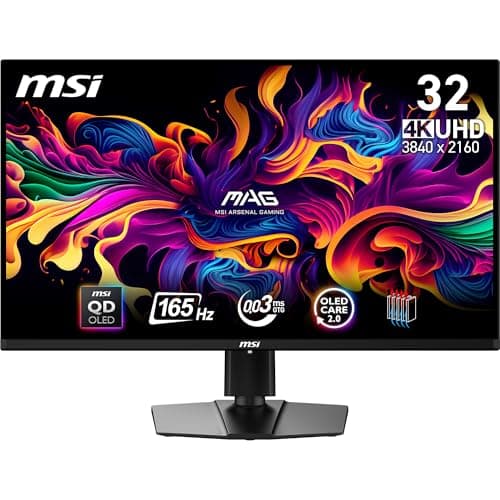
The MSI MAG 321UP is the fastest 4K gaming monitor available — 0.03ms response time on a QD-OLED panel at 4K/165Hz. If you have a high-end GPU (RTX 4080/4090 or RX 7900 XT), this monitor lets it stretch its legs at full 4K with zero motion blur. HDMI 2.1 means PS5 and Xbox Series X run at native 4K/120Hz — the first OLED in this roundup that properly supports current-gen consoles at 4K. 99% DCI-P3 colour coverage means it doubles for creative work. The QD-OLED panel delivers the same perfect blacks as the Samsung G8 but at 4K resolution — individual details are razor-sharp. At ₹99,999, it's the most expensive monitor here and requires a top-tier GPU to drive 4K/165Hz.
Pros
- +4K QD-OLED at 165Hz — rare combination
- +0.03ms response — fastest in this roundup
- +HDMI 2.1 — proper 4K/120Hz for PS5/Xbox
- +99% DCI-P3 — usable for creative work
- +USB-C video input for laptop connectivity
- +Perfect blacks with infinite contrast
Cons
- -₹89,990 — most expensive in this roundup
- -Requires RTX 4080/4090 or equivalent to drive 4K/165Hz
- -OLED burn-in risk with static elements
- -No built-in USB hub
- -Glossy panel reflects light
Score Breakdown
The ultimate 4K gaming monitor. QD-OLED at 4K/165Hz with 0.03ms response is the fastest, sharpest gaming experience available. Only for those with top-tier GPUs.
ASUS ProArt PA279CRV 27-inch 4K IPS
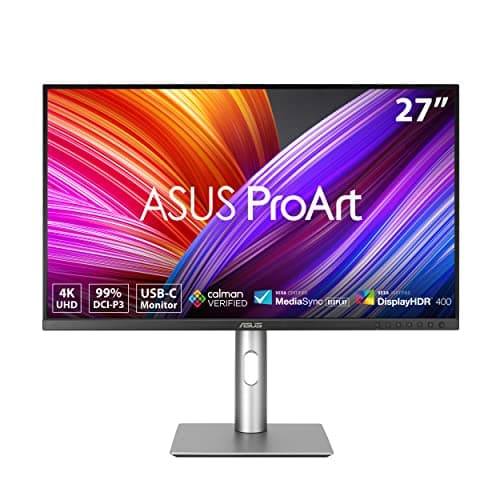
The ASUS ProArt PA279CRV is the only monitor in this roundup that's factory-calibrated to professional colour standards — Delta E < 2, 99% DCI-P3, 99% Adobe RGB, Calman Verified. This means it's a legitimate creative work monitor (photo editing, video colour grading, design) that also games well at 120Hz. Thunderbolt 4 and USB-C 96W Power Delivery make it a one-cable solution for laptops — plug in one USB-C cable and you get video, data, and charging. DisplayPort daisy chain lets you connect a second monitor through this one. 120Hz is lower than gaming-focused competitors but smooth enough for single-player games and casual competitive play. At ₹52,490, you're getting a professional creative monitor that doubles as a capable gaming display.
Pros
- +Factory-calibrated — Delta E < 2, professional colour accuracy
- +99% DCI-P3 + 99% Adobe RGB — for creative professionals
- +Thunderbolt 4 + USB-C 96W PD — one cable for everything
- +120Hz + HDR600 — capable gaming performance
- +DisplayPort daisy chain for dual-monitor setups
- +ASUS ProArt warranty and build quality
Cons
- -120Hz — lower than 165Hz+ gaming competitors
- -IPS glow visible in dark scenes
- -Heavier and bulkier stand
- -Not purely gaming-focused — trade-offs in speed
- -₹52,490 — premium price for 120Hz
Score Breakdown
The best monitor for creative professionals who also game. Factory-calibrated 4K with Thunderbolt 4 and 120Hz gaming. If you edit photos/video by day and game by night, this is the one.
Comparison Table
| Spec | Samsung G8 OLED | MSI 321UP OLED | Samsung G6 | ASUS ProArt | ViewSonic VX2758A | Lenovo R27q | LG Curved QHD | MSI MAG 255XF | LG Ultragear | AOC 24G42E | Lenovo R24e |
|---|---|---|---|---|---|---|---|---|---|---|---|
| Price | ₹69,990 | ₹89,990 | ₹22,199 | ₹52,490 | ₹24,990 | ₹15,290 | ₹19,999 | ₹19,990 | ₹16,990 | ₹13,990 | ₹10,299 |
| Tier | Premium | Premium | Mid | Premium | Mid | Mid | Budget | Budget | Budget | Budget | Budget |
| Size | 34" UW | 31.5" | 27" | 27" | 27" | 27" | 27" | 24.5" | 27" | 24" | 24" |
| Resolution | 3440x1440 | 4K | 2560x1440 | 4K | 2560x1440 | 2560x1440 | 2560x1440 | 1920x1080 | 1920x1080 | 1920x1080 | 1920x1080 |
| Panel | QD-OLED | QD-OLED | VA Curved | IPS | IPS | IPS | VA Curved | Rapid IPS | IPS | Fast IPS | IPS |
| Refresh | 175Hz | 165Hz | 240Hz | 120Hz | 240Hz | 180Hz | 180Hz | 300Hz | 180Hz | 180Hz | 180Hz |
| Response | 0.1ms | 0.03ms | 1ms | — | 1ms | 0.5ms | 1ms | 0.5ms | 1ms | 0.5ms | 0.5ms |
| HDR | True Black 400 | True Black 400 | HDR600 | HDR600 | HDR400 | None | HDR10 | HDR400 | HDR10 | HDR10 | None |
| HDMI | 2.0 | 2.1 | 2.1 | 2.0 | 2.0 | 2.0 | 2.0 | 2.0b | 1.4 | 2.0 | 1.4 |
| USB-C | Yes (PD) | Yes | No | TB4 96W | No | No | No | No | No | No | No |
| Score | 9.2 | 9.0 | 8.8 | 8.6 | 8.4 | 8.2 | 7.6 | 8.0 | 7.8 | 7.5 | 7.3 |
How We Score
| Criterion | Weight | Based On |
|---|---|---|
| Display | 30% | Panel technology (OLED > IPS > VA for gaming), resolution, colour accuracy, contrast ratio, viewing angles, and HDR implementation |
| Speed | 25% | Refresh rate, pixel response time (GtG), input lag, motion blur handling, and adaptive sync (FreeSync/G-Sync) support |
| Features | 20% | HDR certification level, ports (HDMI version, USB-C, USB hub), smart features, built-in speakers, and stand adjustability |
| Build | 15% | Overall construction quality, stand stability and adjustability, cable management, design aesthetics, and warranty/service |
| Value | 10% | Price relative to specs, discount from MRP, and how well the monitor serves its target use case |
Scores are on a 0-10 scale. Display quality is weighted highest because it determines how games look — the primary reason you buy a gaming monitor. Speed is weighted second because response time and refresh rate determine how games feel.
Need Help Choosing?
Not sure which one is right for you? Our buying guide breaks down the key factors.
Read the Buying Guide →→Frequently Asked Questions
Depends on your GPU. 1080p: any GPU handles this comfortably at high frame rates — best for competitive esports where FPS matters most. 1440p (QHD): the sweet spot for 2026 — RTX 4060/RX 7700 XT and above handle this well. Noticeably sharper than 1080p. 4K: requires RTX 4080/4090 or RX 7900 XT for 60+ FPS at high settings. Beautiful but GPU-demanding. Most gamers in India should target 1440p — it is the best balance of visual quality and performance.
Yes, but modern OLEDs mitigate it well. Static elements like health bars, minimaps, and taskbars can cause burn-in over thousands of hours. Samsung and MSI include pixel refresh cycles, static element detection, and brightness limiters. For gaming (where content changes constantly), the risk is low. For mixed use (gaming + leaving static desktop for hours), use the built-in screen savers and auto-dimming features. Do not use an OLED as a work monitor that displays the same spreadsheet 8 hours a day.
For PS5 and Xbox Series X at their best — yes. HDMI 2.1 allows 4K at 120Hz and supports VRR (Variable Refresh Rate). With HDMI 2.0, consoles are limited to 4K/60Hz or 1080p/120Hz. In this roundup, the Samsung Odyssey G6 and MSI MAG 321UP have HDMI 2.1. If you game primarily on PC (via DisplayPort), HDMI version matters less.
Curved is more immersive for single-player and racing games — the screen wraps around your peripheral vision. Flat is better for competitive esports (no edge distortion) and creative work (accurate geometry). For ultrawides (34 inches+), curved is almost mandatory — a flat 34-inch ultrawide has visible edge distortion. For 24-27 inch monitors, flat is generally preferred unless you specifically want the immersive curve.
The ViewSonic VX2758A at ₹19,489 — 27-inch IPS, QHD (2560x1440), 240Hz, 1ms, FreeSync + G-Sync compatible. It is the cheapest way to get 240Hz at QHD, which is the sweet spot for gaming in 2026. If you are on a tighter budget, the Lenovo Legion R27q at ₹15,290 offers QHD at 180Hz with the best stand and colour accuracy in the mid-range.