Best WiFi Routers in India (2026)
Top 8 best WiFi 6 routers in India (2026) — budget, mid-range, and mesh picks ranked on speed, coverage, device handling, security, and value. All picks from ₹2,969 to ₹10,999.
Last updated: 8 May 2026
A WiFi router needs to do two things: deliver your internet plan's full speed to every room, and handle all your connected devices without dropping connections. WiFi 6 (802.11ax) is the standard to buy in 2026 — it handles more simultaneous devices, uses less battery on phones, and delivers better speeds at range than WiFi 5. Upgrading for gaming? Our gaming setup buying guide explains how router specs affect competitive gaming performance.
We ranked 8 routers across three tiers: budget (under ₹3,500), mid-range (₹3,500–₹6,500), and premium (₹6,500+). All eight are WiFi 6 with WPA3 security. Prices range from ₹2,699 to ₹10,999, with the best value sitting at ₹4,099.
Cheapest WiFi 6 router with WPA3 — future-proof networking at a no-brainer price. 2500 sq ft coverage, AI mesh support, 3-year warranty.
Check Price on AmazonThe mesh system that kills dead zones. 4500 sq ft coverage, 150 devices, seamless roaming between units, and 5,123 reviews backing it up.
Check Price on AmazonAt a Glance
This article contains affiliate links. We may earn a small commission at no cost to you. Learn more
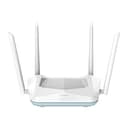
D-Link R15 AX1500 WiFi 6
Best Budget₹2,969
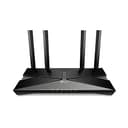
TP-Link Archer AX10 AX1500
Best Budget CPU₹2,999
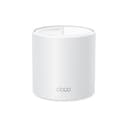
TP-Link Deco X10 AX1500 Mesh
Best Entry Mesh₹5,599
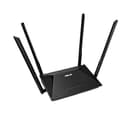
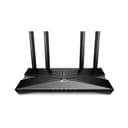
TP-Link Archer AX23 AX1800
Best Value₹4,099

D-Link M30 AX3000 Mesh
Best Coverage₹4,299
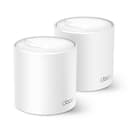
TP-Link Deco X50 Mesh (2-Pack)
Best Overall₹10,999
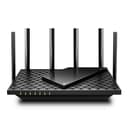
TP-Link Archer AX73 AX5400
Best Single Router₹9,999
Budget Picks (Under ₹3,500)
Under ₹3,500, you get WiFi 6 — a genuine upgrade over the WiFi 5 routers still sold at this price. WiFi 6 handles more simultaneous connections, reduces latency for gaming, and is more power-efficient on phones. For a 1–2BHK apartment with 10–20 devices, budget routers deliver all the speed your internet plan can provide.
D-Link R15 AX1500 WiFi 6 Router
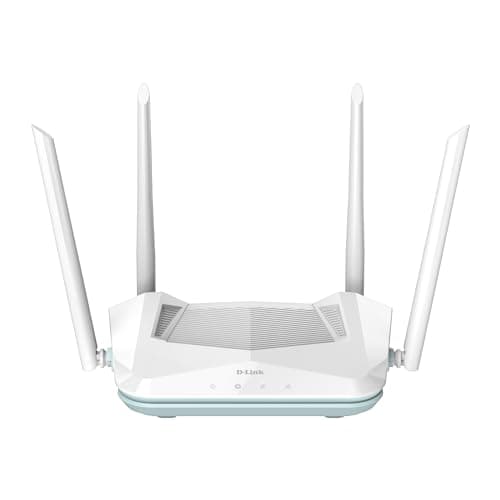
The D-Link R15 is the cheapest WiFi 6 router worth buying. At ₹2,969, you get the AX1500 standard with WPA3 security — a combination that costs ₹3,000+ from TP-Link. The AI Traffic Optimizer prioritises video calls and gaming over background downloads, and the Eagle Pro AI app makes setup genuinely easy. 2500 sq ft coverage handles a standard 2BHK comfortably. The 3-year warranty is the longest in the budget tier. However, recent reviews show a declining trend — the 3.8★ rating is the lowest in this roundup, with recurring complaints about range through thick walls.
Pros
- +Cheapest WiFi 6 router — future-proof at ₹2,969
- +WPA3 security — latest encryption standard at a budget price
- +AI traffic management prioritises video calls and gaming
- +3-year warranty — longest in budget tier
- +Mesh expandable with other D-Link Eagle Pro AI units
Cons
- -3.8★ rating — lowest in roundup with declining review trend
- -WiFi range noticeably weaker through concrete walls
- -Only 3 LAN ports — no room for gaming PC + smart TV + desktop
- -No USB port for storage sharing
Score Breakdown
The best router under ₹3,000. WiFi 6 and WPA3 at this price is unbeatable value. Buy it if your home is under 1500 sq ft with standard walls. Skip it if you need strong signal through multiple concrete walls.
TP-Link Archer AX10 AX1500 WiFi 6 Router
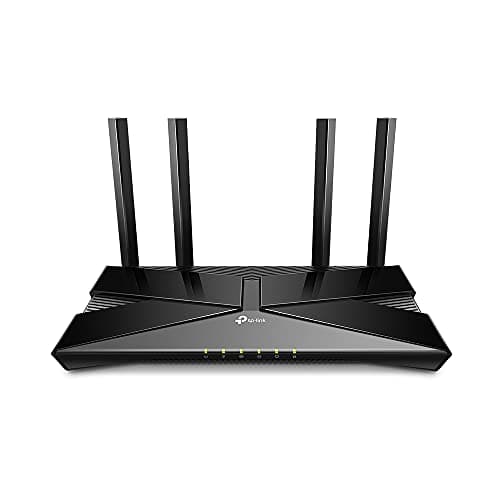
The Archer AX10 replaces the discontinued TP-Link Archer C80 and brings a genuine upgrade: WiFi 6 with a 1.5 GHz triple-core CPU — the most processing power you'll find under ₹3,500. With 7,661 reviews at 4.3★, it has the highest review confidence in the budget tier. The triple-core CPU handles concurrent devices better than the D-Link R15, making it the pick for households with 15+ connected devices. Real-world speeds hit 370–380 Mbps on a 400 Mbps plan in the same room. Four Gigabit LAN ports (vs D-Link's 3) matter if you wire a PC, console, and smart TV.
Pros
- +1.5 GHz triple-core CPU — best processing power in budget tier
- +WiFi 6 with OFDMA and MU-MIMO for multi-device handling
- +4 Gigabit LAN ports — most wired connections in budget tier
- +4.3★ with 7,661 reviews — highest confidence score here
- +TP-Link Tether app and firmware support ecosystem
Cons
- -WiFi range weaker than expected — recurring complaint in reviews
- -Smart Connect band steering is unreliable
- -No mesh expansion support (OneMesh not included)
- -DHCP issues reported by some users over time
Score Breakdown
The router to buy if you have 15+ devices and need a CPU that won't choke. Best for 2–3BHK flats where the router sits centrally. Don't expect it to punch through 3 concrete walls.
TP-Link Deco X10 AX1500 Mesh WiFi System
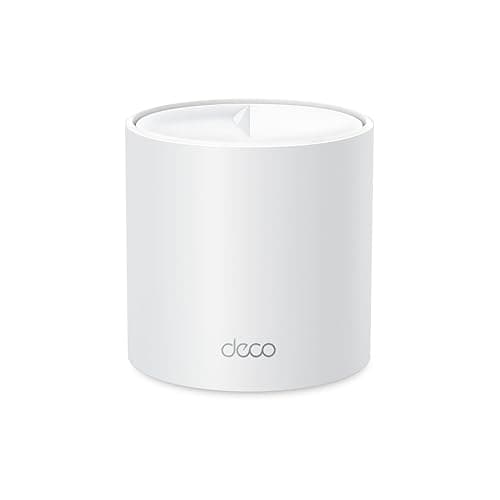
The Deco X10 is the cheapest way to start a mesh WiFi 6 system. At ₹5,599 for a single unit, it costs barely more than a standard WiFi 6 router — but with the advantage of seamless expandability. When you outgrow the single unit's 2100 sq ft coverage (which handles a 2BHK), add another Deco unit for whole-home coverage without replacing your router. The AI-driven mesh ensures your phone switches between units without dropping connections. 120-device support handles smart homes with dozens of IoT devices. The Deco app is the best router app in India.
Pros
- +Cheapest mesh WiFi 6 system — expandable foundation at ₹5,599
- +AI-driven seamless roaming between mesh units
- +120 device support — handles smart homes easily
- +Deco app — best router management app available
- +Add units later without replacing existing hardware
Cons
- -Single unit may not cover 3BHK+ homes
- -Only 2 LAN ports — fewer than standard routers
- -AX1500 speeds are entry-level for mesh
- -4.0★ with 542 reviews — limited review confidence
Score Breakdown
The smart buy if you plan to expand coverage later. Start with one unit for a 2BHK, add more as needed. Better long-term investment than buying a non-mesh router now and replacing it later.
Mid-Range Picks (₹3,500–₹6,500)
Mid-range routers add meaningful upgrades: better CPUs that handle 50+ simultaneous connections without lag, AX1800–AX3000 speeds for high-bandwidth activities, and advanced security features. This is the right tier for 2–3BHK homes with 20–40 connected devices.
ASUS RT-AX53U AX1800 WiFi 6 Router
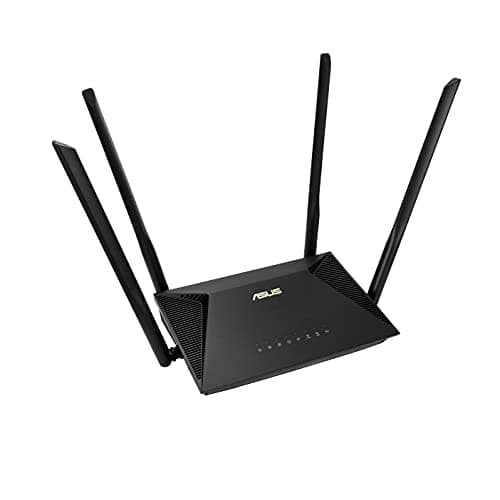
The ASUS RT-AX53U stands out for one feature no other router in this roundup offers: free AiProtection security by Trend Micro. This is a commercial-grade network security suite that blocks malicious websites, prevents infected devices from contacting botnet servers, and alerts you to intrusion attempts — without a subscription fee. Add Instant Guard for one-tap VPN when you're on public WiFi. The USB port supports 3G/4G dongle sharing as a failover internet connection — useful in areas with unstable broadband. Price dropped 4% to ₹5,999.
Pros
- +Free AiProtection by Trend Micro — commercial-grade network security
- +Built-in VPN server + Instant Guard for secure remote access
- +USB port for 3G/4G dongle failover internet
- +AiMesh compatible — expand with additional ASUS routers
- +Price dropped 4% to ₹5,999 from ₹6,249
Cons
- -₹5,999 is premium pricing for AX1800 specs
- -Only 232 reviews — lowest review confidence in mid-range
- -3 LAN ports — fewer than some competitors
- -No beamforming — coverage relies on antenna design alone
Score Breakdown
The router for security-conscious users. AiProtection alone is worth the premium — it's a feature that costs ₹2,000+/year as a subscription on other platforms. Essential for homes with children or multiple IoT devices.
TP-Link Archer AX23 AX1800 WiFi 6 Router
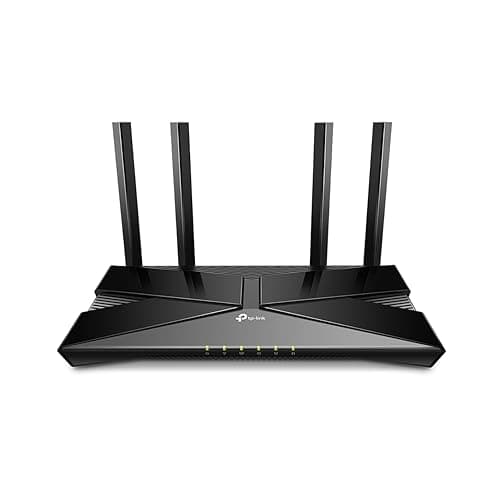
The Archer AX23 hits the sweet spot: AX1800 WiFi 6, OneMesh expandability, 4 Gigabit LAN ports, and WPA3 — all at ₹4,099. OneMesh is the killer feature: pair it with a TP-Link range extender (₹1,500–2,000) and you get mesh-like coverage for less than a dedicated mesh system. At 4.4★ with 1,444 reviews, reliability is well-proven. Price went up 5% from ₹3,899, but it's still the best value per feature in the mid-range.
Pros
- +OneMesh expandable — add TP-Link extenders for mesh coverage
- +4 Gigabit LAN ports — enough for gaming PC, smart TV, and more
- +4.4★ with 1,444 reviews — strong reliability track record
- +Beamforming + 4 high-gain antennas for focused signal
- +Comprehensive parental controls — URL blocking, profiles, scheduling
Cons
- -Price increased 5% to ₹4,099 from ₹3,899
- -Dual-core CPU — less processing headroom than triple-core options
- -No USB port for storage or dongle sharing
- -No built-in security suite like ASUS AiProtection
Score Breakdown
The default recommendation for most Indian homes. Buy this if you have a 2–3BHK flat, 100–300 Mbps broadband, and want the option to add mesh coverage later without replacing the router.
D-Link M30 AX3000 WiFi 6 Mesh Router
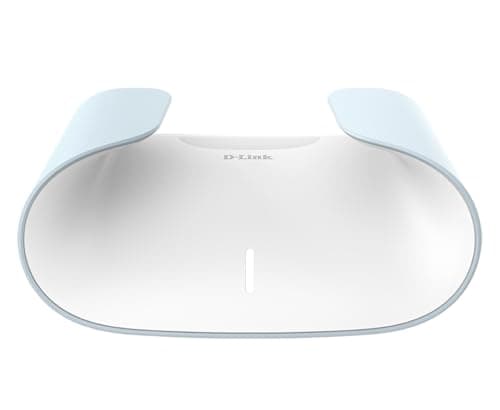
The D-Link M30 delivers the fastest WiFi speeds and widest coverage of any single router in the mid-range. The AX3000 standard provides 2400 Mbps on 5 GHz — twice the speed of AX1800 routers. The 360-degree spherical antenna design pushes signal in all directions including up and down — important for G+1 and G+2 Indian homes. The 10% price drop to ₹4,499 (from ₹4,299) makes it more competitive. ETSI EN 303 645 cybersecurity certification adds enterprise-grade credibility.
Pros
- +AX3000 — fastest single-unit WiFi speed in the mid-range
- +360-degree spherical coverage eliminates rear dead zones
- +2800 sq ft coverage — handles 3BHK comfortably
- +Price dropped 10% to ₹4,499 — better value than before
- +ETSI EN 303 645 cybersecurity certification
Cons
- -Only 260 reviews — lowest review confidence in the roundup
- -4.0★ rating — average, not outstanding
- -D-Link mesh ecosystem is smaller than TP-Link's
- -No USB port for storage sharing
Score Breakdown
The best single-router solution for 3BHK homes. The AX3000 speed and 2800 sq ft coverage mean you might not need a mesh system at all. Pick this if you want one router to cover a large flat.
Premium Picks (Above ₹6,500)
Premium routers solve two problems that mid-range cannot: covering very large homes (3BHK+, duplex, villa) with zero dead zones, and handling 100+ simultaneous device connections without slowdowns.
TP-Link Deco X50 AX3000 Mesh System (2-Pack)

The TP-Link Deco X50 2-pack is the definitive solution for large Indian homes. Two mesh units blanket 4500 sq ft with WiFi 6 — covering a full 3BHK, duplex, or villa without a single dead zone. The AI-driven mesh automatically routes your phone to the nearest unit as you walk between rooms — zero drops, zero lag. 150-device support handles even the most connected smart homes. The Deco app is the best router management app in India — parental controls, usage reports, and guest networks are a tap away. At 4.4★ with 5,123 reviews, it has the highest review confidence in this entire roundup.
Pros
- +4500 sq ft coverage — eliminates dead zones in any Indian home
- +Seamless roaming — zero-drop handoff between units
- +150 device support handles entire smart homes
- +Deco app — best router management experience
- +4.4★ with 5,123 reviews — highest review confidence in roundup
- +Alexa and Google Home compatible for voice control
Cons
- -₹10,999 — highest price in the roundup
- -Only 2 LAN ports per unit — limiting for wired setups
- -Some older devices (printers) face compatibility on unified SSID
- -Wireless backhaul loses speed vs ethernet backhaul between units
Score Breakdown
The best WiFi solution for large homes. If you have a 3BHK+, duplex, or villa, no single router can match this mesh system's coverage. Worth every rupee for homes with 20+ devices spread across multiple rooms.
TP-Link Archer AX73 AX5400 WiFi 6 Router
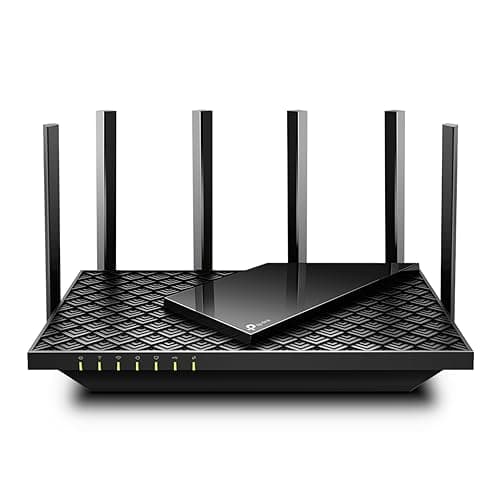
The Archer AX73 is the most powerful single router in this roundup. AX5400 with a 4T4R antenna setup delivers 4.8 Gbps on 5 GHz — real-world users report 477 Mbps on 400 Mbps broadband plans. The 1.5 GHz triple-core CPU handles 200+ concurrent devices. USB 3.0 is unique — plug in an external drive and share media across your network like a budget NAS. The 16% price drop to ₹7,999 (from ₹9,499) makes this a significantly better deal than three months ago. OneMesh compatibility lets you add a range extender for dead zone coverage.
Pros
- +Fastest WiFi speeds — AX5400 with 4.8 Gbps on 5 GHz
- +Triple-core 1.5 GHz CPU — most powerful router processor here
- +200+ device handling without performance degradation
- +USB 3.0 for NAS-style media sharing — unique feature
- +16% price drop to ₹7,999 — significantly better value now
Cons
- -Large physical form factor — not discreet
- -Higher power consumption (24W) than simpler routers
- -Single-point coverage — dead zones possible in large homes
- -Occasional 5 GHz band disconnects reported by some users
Score Breakdown
The best single router for power users. If your router location can reach all rooms and you have 50+ devices or a 300+ Mbps broadband plan, the AX73's raw power is unmatched. Add a OneMesh extender if coverage falls short.
Comparison Table
| Feature | D-Link R15 | AX10 | Deco X10 | AX23 | M30 | ASUS AX53U | AX73 | Deco X50 (2pk) |
|---|---|---|---|---|---|---|---|---|
| Price | ₹2,699 | ₹2,999 | ₹5,599 | ₹4,099 | ₹4,499 | ₹5,999 | ₹7,999 | ₹10,999 |
| WiFi Standard | WiFi 6 | WiFi 6 | WiFi 6 | WiFi 6 | WiFi 6 | WiFi 6 | WiFi 6 | WiFi 6 |
| Speed (5 GHz) | 1200 Mbps | 1201 Mbps | 1201 Mbps | 1201 Mbps | 2400 Mbps | 1201 Mbps | 4804 Mbps | 2402 Mbps |
| CPU | — | 1.5 GHz Triple-Core | — | Dual-Core | — | — | 1.5 GHz Triple-Core | — |
| Coverage | 2500 sq ft | — | 2100 sq ft | — | 2800 sq ft | — | ~1500 sq ft | 4500 sq ft |
| LAN Ports | 3 | 4 | 2 | 4 | 4 | 3 | 4 | 2 per unit |
| Mesh Support | D-Link Mesh | No | Deco Mesh | OneMesh | D-Link Mesh | AiMesh | OneMesh | Deco Mesh |
| Security | WPA3 | WPA3 | WPA3 | WPA3 | WPA3 + ETSI | WPA3 + AiProtection | WPA3 | WPA3 + HomeShield |
| USB Port | No | No | No | No | No | Yes (dongle) | Yes (3.0) | No |
| Rating | 3.8★ | 4.3★ | 4.0★ | 4.4★ | 4.0★ | 4.3★ | 4.4★ | 4.4★ |
| Reviews | 1,248 | 7,661 | 542 | 1,444 | 260 | 232 | 2,669 | 5,123 |
| Score | 8.8 | 8.5 | 8.3 | 8.6 | 8.4 | 8.7 | 9.0 | 9.1 |
How We Score
| Criterion | Weight | Based On |
|---|---|---|
| Speed | 25% | WiFi standard, real-world throughput on 5 GHz and 2.4 GHz bands, CPU processing power, and MU-MIMO capability. |
| Coverage | 25% | Effective range in sq ft, antenna design, beamforming technology, and mesh expandability. |
| Devices | 20% | Maximum simultaneous connections, OFDMA support, performance under heavy multi-device load. |
| Security | 15% | WPA3 support, built-in security suites, parental controls, guest network isolation, and VPN capability. |
| Value | 15% | Feature-to-price ratio, firmware update frequency, brand service network, and warranty terms. |
Scores are based on verified Amazon reviews, published specs, and real-world performance data. All products re-evaluated in April 2026.
Frequently Asked Questions
The TP-Link Archer AX23 (₹4,099) is the best WiFi router under ₹5,000. It offers WiFi 6 AX1800 speeds, OneMesh expandability, 4 Gigabit LAN ports, and WPA3 security — with 4.4★ across 1,444 reviews. If you want more coverage, the D-Link M30 at ₹4,299 covers 2800 sq ft with AX3000 speeds.
Yes, if your home is over 1500 sq ft or has multiple floors. Indian homes with thick concrete walls and brick construction create dead zones that single routers can't solve. The TP-Link Deco X50 (₹10,999 for 2-pack) covers 4500 sq ft seamlessly. For a budget mesh entry, the Deco X10 starts at ₹5,599.
Yes. WiFi 6 (802.11ax) is the baseline standard in 2026. All 8 routers in this roundup are WiFi 6. Key benefits: better multi-device handling via OFDMA, improved battery life for connected devices via Target Wake Time, and WPA3 security. WiFi 5 routers are outdated and no longer worth buying.
For a standard 3BHK (1200–1600 sq ft), the TP-Link Archer AX23 (₹4,099) with a OneMesh extender gives you the best coverage-to-cost ratio. For a large 3BHK or G+1 home, the D-Link M30 (₹4,499) covers 2800 sq ft from a single unit. For guaranteed zero dead zones, the Deco X50 mesh (₹10,999) is the premium solution.
The D-Link R15 at ₹2,969 is the only WiFi 6 router with WPA3 under ₹3,000. It covers 2500 sq ft, supports AI mesh expansion, and comes with a 3-year warranty. The 3.8★ rating is a concern, but the feature-to-price ratio is unmatched at this price point.