Best Laptop Cooling Pads in India (2026)
Best laptop cooling pads from ₹499 to ₹2,499 — ranked on cooling performance, noise levels, build quality, and ergonomics. 8 picks across budget, mid-range, and premium tiers.
Last updated: 8 May 2026
A laptop cooling pad needs two things: fans that actually push enough air to reduce temperatures (not all do), and an ergonomic angle that's comfortable for typing. Everything else — RGB lighting, USB hubs, mobile holders — is a bonus. If ergonomics matters more than active cooling, a dedicated laptop stand gives you height adjustment without the fan noise. Need to protect your machine on the move? See our laptop bags. And for extended sessions away from a wall outlet, a laptop power bank is worth considering.
ProductHunter.in tested laptop cooling pads across three price tiers: budget (under ₹700), mid-range (₹700–₹1,400), and premium (₹1,400–₹2,000). Prices range from ₹599 to ₹2,499. The jump from budget to mid-range gets you fan speed control, larger fans, and better build quality. The premium tier adds multi-fan configurations (5-6 fans), RGB lighting, and build quality that lasts years instead of months.
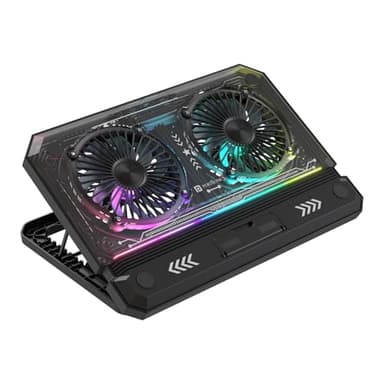
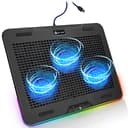
KLIM Aurora RGB
4 high-performance fans at 1200 RPM, premium metal mesh that feels built to last, and a 5-year warranty from a European brand. The most effective cooler in this roundup with the best long-term durability. If your laptop runs hot during gaming or heavy work, this is the one that actually makes a difference.
Check Price on AmazonAt a Glance
This article contains affiliate links. We may earn a small commission at no cost to you. Learn more
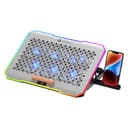
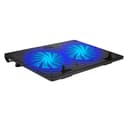
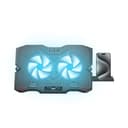
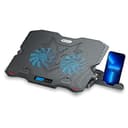
Zebronics NC5500D
Best Budget Features₹799
Budget Picks (Under ₹700)
Budget cooling pads provide a basic temperature drop (2-5 degrees C) and a slight ergonomic angle. At this price, expect dual-fan setups, plastic-and-mesh construction, and limited adjustability. They're best for office laptops and light browsing — don't expect them to tame a gaming laptop under heavy load.
Cosmic Byte Wind RGB Cooling Pad
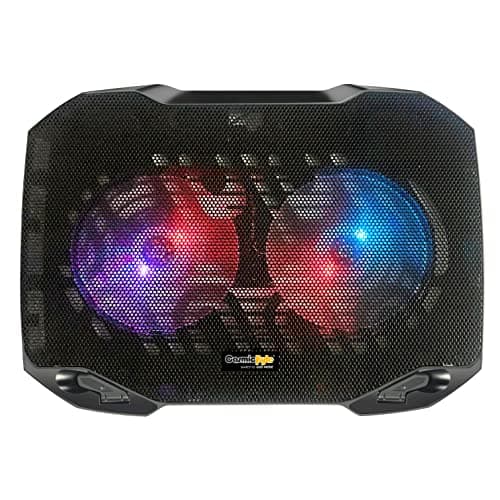
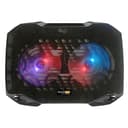
The Cosmic Byte Wind RGB is the only budget cooling pad with proper RGB lighting — 7 colour modes that look surprisingly good under a laptop at night. Cosmic Byte (owned by DRAM India) has built a strong gaming accessories reputation. The ultra-slim profile makes it genuinely portable — it fits in a laptop bag without adding bulk. The dual 120mm fans provide decent airflow for office work and light usage. At ₹549, it's the cheapest way to get RGB on a cooling pad. The trade-offs: no height adjustment (fixed elevated angle), the RGB can't be customised beyond the 7 preset modes, and the cooling is modest — expect 2-3 degrees at best. For gaming laptops under heavy load, this won't be enough.
Pros
- +7-colour RGB lighting at ₹549 — cheapest RGB option
- +Ultra-slim profile fits in laptop bags
- +Cosmic Byte gaming brand with decent reputation
- +Dual 120mm fans for basic cooling
- +Dual USB ports for peripherals
Cons
- -No height adjustment — fixed angle only
- -RGB modes limited to 7 presets — no customisation
- -Modest cooling — 2-3 degrees C temperature drop
- -15.6-inch max — not for larger laptops
Score Breakdown
The best budget pick for gamers who want RGB aesthetics. The cooling is basic but the 7-colour lighting at ₹549 is genuinely impressive value.
Dyazo Laptop Cooling Pad
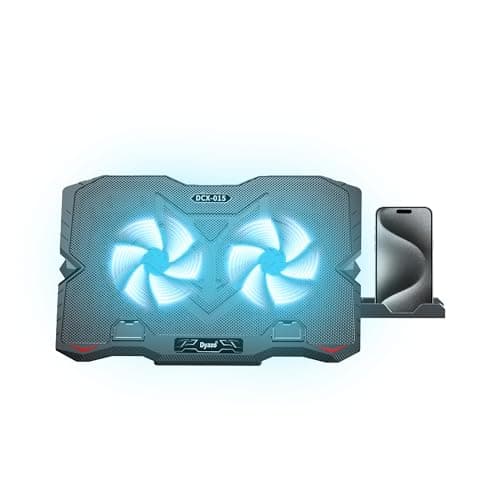
The Dyazo stands out in the budget tier for one reason: 5-step height adjustment. No other cooling pad under ₹700 offers this many ergonomic positions. If you spend 6+ hours a day on a laptop, the right screen angle reduces neck and wrist strain — and the Dyazo lets you find that angle precisely. The anti-slip baffle prevents the laptop from sliding at steeper angles. The metal mesh surface conducts heat away even when the fans are off. At ₹499, it's a solid ergonomic investment. The concern: Dyazo is a lesser-known brand with limited reviews. The fans are adequate for basic cooling but don't match the airflow of Cosmic Byte or Zebronics. Build quality is hit-or-miss based on user reports.
Pros
- +5-step height adjustment — best ergonomics in budget tier
- +Anti-slip baffles prevent laptop sliding at steep angles
- +Metal mesh surface for passive heat dissipation
- +LED lighting for visibility in low light
- +Affordable at ₹499
Cons
- -Dyazo brand has limited reviews and track record
- -Fan performance is basic — less airflow than competitors
- -Build quality inconsistent across units
- -15.6-inch max support
Score Breakdown
Best budget pick for ergonomics. The 5-height adjustment is a real advantage for long work sessions — but spend ₹140 more on Zebronics NC5500D for better cooling and features.
Zebronics NC3300 Cooling Pad
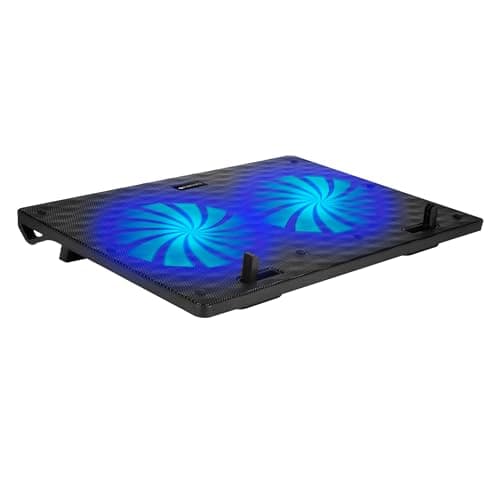
The Zebronics NC3300 is the cheapest cooling pad worth buying. The dual 125mm fans are the largest in the budget tier — larger fans push more air at lower RPM, making this the quietest budget option. The metal mesh surface adds passive cooling. Dual USB ports let you connect a mouse without losing a port. At ₹599, it's a functional cooling pad for office use, light browsing, and general laptop health. What you give up: only 2-level height adjustment (vs 5 on Dyazo), no RGB, no fan speed control, and modest cooling performance (2-3 degrees C). For ₹200 more, the Zebronics NC5500D adds fan speed control, LED display, and a mobile holder. The NC3300 is for buyers who want the absolute minimum effective cooling pad.
Pros
- +Cheapest at ₹599 — minimum viable cooling pad
- +Largest 125mm fans in budget tier — quietest operation
- +Metal mesh for passive heat conduction
- +Dual USB 2.0 ports for peripherals
- +Zebronics brand — available in most electronics stores
Cons
- -Only 2-level height adjustment — minimal ergonomics
- -No fan speed control — runs at fixed speed
- -No RGB lighting — plain LED indicators only
- -Modest 2-3 degree C temperature reduction
Score Breakdown
The bare-minimum cooling pad. At ₹599, it does the basics — quiet fans, metal mesh, USB ports. For anything more, spend ₹200 extra on the NC5500D.
Mid-Range Picks (₹700–₹1,400)
Mid-range cooling pads add features that actually improve cooling: fan speed control, more fans for better air distribution, and sturdier builds that don't flex under heavy laptops. The EvoFox Typhoon's 5-fan layout is the standout — distributing airflow across the entire laptop base rather than concentrating it in two spots.
EvoFox Typhoon 5-Fan Cooling Pad
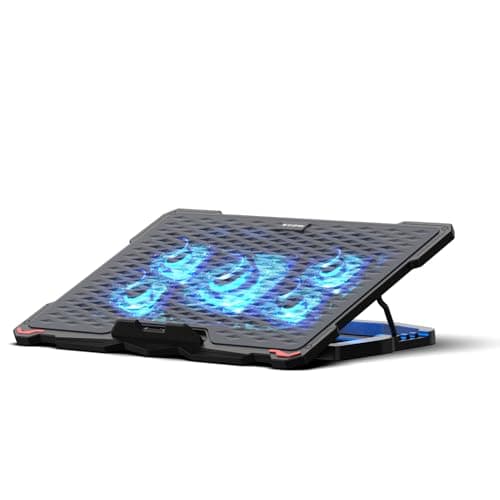
The EvoFox Typhoon is the best-built cooling pad in this roundup. The metal stand supports up to 18kg — it won't flex or bend under even the heaviest gaming laptops. The 5-fan configuration pushes 68 CFM of airflow, distributing cooling across the entire laptop base rather than just the centre. Fan speed control lets you balance noise vs cooling. The braided power cable is a durability upgrade over cheap rubber cables. EvoFox is Amkette's gaming brand — an established Indian electronics company with real after-sales support. At ₹1,299, it's the most expensive mid-range option but justified by the build quality. The main limitation: some users find the surface size a bit small for 15.6-inch laptops, and the blue LED lighting is functional rather than flashy.
Pros
- +5-fan design — 68 CFM airflow covers the entire laptop base
- +Metal stand supports 18kg — most robust build in roundup
- +Fan speed control balances noise and cooling
- +Quietest operation in the mid-range tier
- +Amkette (EvoFox) brand with genuine service support
- +Braided cable for durability
Cons
- -Surface may feel small for 15.6-inch laptops
- -Blue LED only — no RGB for gamers
- -Most expensive in mid-range at ₹1,299
- -4 height angles (not 5 like Portronics)
Score Breakdown
The best mid-range cooling pad. 5-fan layout, 18kg metal stand, and fan speed control — the most effective and durable cooler under ₹1,500.
Portronics My Buddy Air 5 Cooling Pad
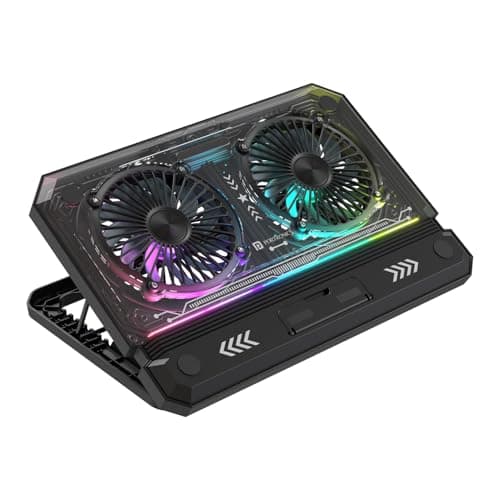
The Portronics My Buddy Air 5 is the best value in the mid-range. At ₹1,280, you get 17-inch laptop support (vs 15.6 on budget models), 5-level height adjustment, ultra-quiet 125mm fans, and LED lighting with an on/off switch. The metal mesh is sturdy and conducts heat passively. The pass-through USB port is a thoughtful touch — you don't lose a USB port by plugging in the cooling pad. For office work, coding, and general productivity, the dual-fan layout provides adequate cooling at whisper-quiet noise levels. The trade-off vs EvoFox: only 2 fans vs 5 (less total airflow), no fan speed control, and some units have quality control issues. But at ₹270 less, it's the smarter buy for non-gaming use.
Pros
- +17-inch laptop support — largest in mid-range
- +5-level height adjustment for ergonomic comfort
- +Ultra-quiet 125mm fans — nearly silent during office use
- +Pass-through USB port preserves a USB slot
- +LED on/off control — no forced lighting
- +Best mid-range value at ₹1,280
Cons
- -Only 2 fans — less total airflow than EvoFox's 5 fans
- -No fan speed control — fixed speed only
- -Some quality control issues reported
- -Not adequate for heavy gaming — too few fans
Score Breakdown
Best value for office and productivity use. 17-inch support and ultra-quiet operation at ₹1,280 — buy the EvoFox only if you need serious cooling for gaming.
Zebronics NC5500D Cooling Pad
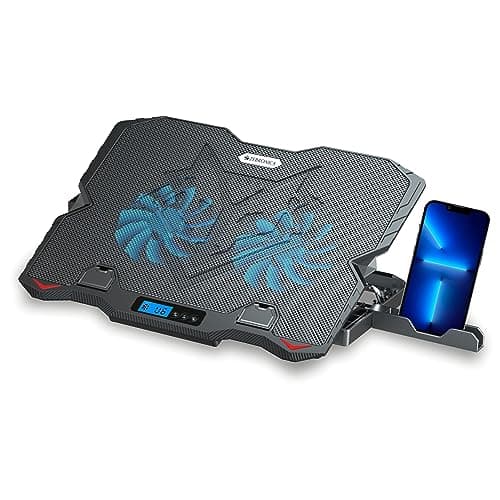
The Zebronics NC5500D packs mid-range features at a budget price. The LED display showing fan speed is unique at under ₹800 — no other budget cooling pad has this. Fan speed control lets you increase airflow for gaming and reduce noise for quiet work. The 5-step retractable stand matches the Portronics Air 5 for ergonomic positions. The detachable mobile holder is a nice touch for video calls. At ₹799, it bridges the gap between budget and mid-range convincingly. The honest assessment: the actual cooling difference is modest (1-2 degrees C), reliability reports are mixed after 3 months of daily use, and the build quality is basic. But for the feature set at ₹799, nothing else comes close.
Pros
- +LED display with fan speed indicator — unique under ₹800
- +Adjustable fan speed control for noise/cooling balance
- +5-step height adjustment — matches pricier models
- +Detachable mobile holder for video calls
- +Best feature-to-price ratio in this roundup
Cons
- -Modest 1-2 degree C actual cooling improvement
- -Mixed reliability after 3+ months of daily use
- -Basic build quality — plastic flexes under heavy laptops
- -15.6-inch max — no support for 17-inch laptops
Score Breakdown
The most feature-packed cooling pad under ₹800. LED display, fan speed control, and 5-height adjustment — an impressive package if you can accept the modest cooling.
Premium Picks (₹1,400–₹2,000)
Premium cooling pads deliver measurable temperature drops (5-8 degrees C) that actually impact laptop performance — thermal throttling happens less, fans spin less, and your laptop feels cooler to touch. The KLIM Aurora leads on durability and warranty; the Portronics Air Pro leads on raw cooling power with 6 fans.
KLIM Aurora RGB Laptop Cooling Pad
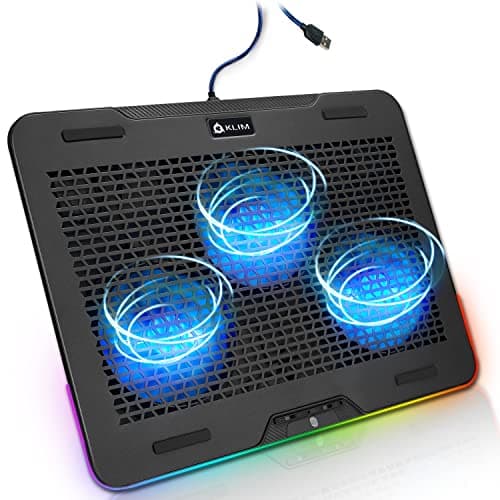
The KLIM Aurora is the most durable cooling pad in this roundup. The heavy-duty metal mesh construction feels premium from the first touch — it doesn't flex, doesn't wobble, and feels like it'll last 5 years (which matches the warranty). The 4 fans at 1200 RPM push serious airflow with a turbulence-reducing design that channels air directly at hot spots rather than scattering it. The RGB backlighting is the best-looking here — smooth colour transitions rather than the abrupt mode-switching on cheaper pads. KLIM is a European brand with a reputation for cooling products. The 11-17 inch support is the widest range on this list. The trade-offs: most expensive at ₹2,499, only 2 height positions (vs 5 on cheaper models), and the RGB cannot be turned off completely.
Pros
- +Heavy-duty metal mesh — most durable build in this roundup
- +5-year warranty — longest by far, European brand trust
- +1200 RPM fans with turbulence-reducing design — effective cooling
- +Best RGB lighting — smooth transitions, premium look
- +11-17 inch support — widest range on this list
Cons
- -Most expensive at ₹2,499
- -Only 2 height positions — less adjustable than competitors
- -RGB cannot be turned off — always-on lighting
- -4 fans vs 6 on Portronics Air Pro
Score Breakdown
The best cooling pad under ₹2,000. The 5-year warranty and metal mesh build make it the only cooling pad here that's built to last — effective cooling is a bonus on top.
Portronics My Buddy Air Pro 6-Fan Cooling Pad
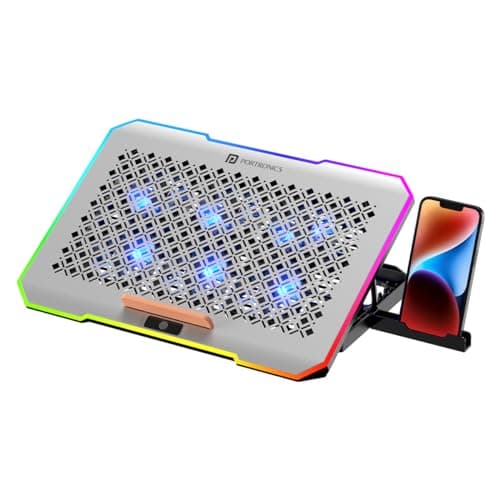
The Portronics Air Pro has the most fans in this roundup — 6 fans distribute airflow across the entire laptop base more evenly than any 2 or 4-fan design. With adjustable fan speed, you can max out airflow for gaming sessions and dial it back for quiet office work. The 5-level angle adjustment and mobile holder add ergonomic value. RGB lighting adds gamer aesthetics. At ₹1,399, it's ₹388 cheaper than the KLIM Aurora with more fans. The trade-off: the KLIM's metal mesh build is significantly more durable, some Air Pro units have quality control issues, and the 6 fans generate more noise at maximum speed. The RGB can also be distracting during focused work. For raw cooling power, the Air Pro beats the KLIM. For longevity and build quality, the KLIM wins.
Pros
- +6 fans — most fans and best air distribution in this roundup
- +Adjustable fan speed for noise/cooling balance
- +5-level angle adjustment — best ergonomics in premium tier
- +Mobile/tablet holder for multitasking
- +₹388 cheaper than KLIM with more fans and features
Cons
- -Quality control issues reported by some buyers
- -Noisier than KLIM at maximum fan speed
- -RGB can be distracting during focused work
- -Build quality below KLIM Aurora — more flex in construction
Score Breakdown
The best pick for maximum cooling. 6 fans with speed control push more air than anything else here — buy this over KLIM if raw temperature reduction matters more than build quality.
Comparison Table
| Spec | KLIM Aurora | Portronics Air Pro | EvoFox Typhoon | Portronics Air 5 | Zebronics NC5500D | Cosmic Byte Wind | Dyazo | Zebronics NC3300 |
|---|---|---|---|---|---|---|---|---|
| Price | ₹2,499 | ₹1,511 | ₹1,399 | ₹1,128 | ₹799 | ₹635 | ₹659 | ₹599 |
| Tier | Premium | Premium | Mid | Mid | Mid | Budget | Budget | Budget |
| Fans | 4 (1200 RPM) | 6 | 5 (68 CFM) | 2 (125mm) | 2 (125mm) | 2 (120mm) | 2 | 2 (125mm) |
| Speed Control | ❌ | ✅ | ✅ | ❌ | ✅ | ❌ | ❌ | ❌ |
| Height Levels | 2 | 5 | 4 | 5 | 5 | Fixed | 5 | 2 |
| Max Laptop | 17" | 17" | 17" | 17" | 15.6" | 15.6" | 15.6" | 15.6" |
| RGB | ✅ | ✅ | Blue LED | Basic LED | LED Display | ✅ (7 modes) | LED | LED |
| Warranty | 5 Years | — | — | — | — | — | — | — |
| Score | 8.7 | 8.3 | 8.5 | 8.1 | 7.8 | 7.4 | 7.2 | 7.0 |
How We Score
| Criterion | Weight | Based On |
|---|---|---|
| Cooling | 30% | Actual temperature reduction, fan count and RPM, CFM airflow, air distribution across laptop base, effectiveness under load |
| Noise | 20% | Fan noise at idle and max speed, vibration, ability to work in quiet environments without distraction |
| Build | 20% | Construction material (metal mesh vs plastic), weight support capacity, cable quality, overall durability, warranty coverage |
| Ergonomics | 15% | Number of height positions, angle range, anti-slip features, comfort for extended typing sessions, laptop compatibility range |
| Value | 15% | Price relative to cooling performance and features, long-term durability, brand service, included extras (USB ports, mobile holder) |
Scores are on a 0-10 scale. Cooling is weighted highest because that's the primary purpose — a cooling pad that doesn't cool effectively is just an expensive laptop stand.
Need Help Choosing?
Not sure which one is right for you? Our buying guide breaks down the key factors.
Read the Buying Guide →→Frequently Asked Questions
Yes, but with realistic expectations. Budget pads (₹600-₹800) reduce temperatures by 2-3 degrees C. Mid-range pads (₹800-₹1,400) achieve 3-5 degrees C. Premium pads (₹1,400+) can reduce temperatures by 5-8 degrees C under heavy load. This difference matters most for gaming laptops that thermal throttle — a 5 degree drop can prevent throttling and maintain full performance. For office laptops that don't overheat, a cooling pad mainly improves ergonomic angle.
For office work and light use: 2 fans are sufficient (Zebronics NC3300, Portronics Air 5). For gaming and heavy workloads: 4-6 fans distribute airflow better (EvoFox Typhoon, KLIM Aurora, Portronics Air Pro). More fans at lower RPM are generally better than fewer fans at higher RPM — you get similar cooling with less noise.
Yes, if you use your laptop in quiet environments (offices, libraries). Fan speed control lets you reduce noise during light work and boost airflow during heavy tasks. Without it, the fans run at a fixed speed that's either too noisy or too weak. The Zebronics NC5500D at ₹799 is the cheapest pad with fan speed control.
Only if the pad specifies 17-inch support. Budget pads (under ₹700) support 15.6 inches max. Mid-range and premium pads from Portronics, EvoFox, and KLIM support up to 17 inches. Using a 17-inch laptop on a 15.6-inch pad means the edges hang over, reducing stability and airflow effectiveness.
Different tools for different problems. Cooling pads add active fan cooling — better for hot laptops. Laptop stands improve ergonomics (screen height) without fans — better for neck strain. If your laptop overheats, get a cooling pad. If your neck hurts, get a stand. Some cooling pads (like the Dyazo with 5-height adjustment) double as decent stands.